
KEMIS allows authorized users to access their accounts online using the login details associated with their institution. Once an account has been created and the user has received the required login credentials, they can sign in to KEMIS to access the education management services and information available through the system. Logging in is required before an authorized user can carry out activities or access account features provided on KEMIS.
This guide explains how to log in to KEMIS online using the official KEMIS website. It takes you through the complete login process, including visiting the KEMIS website, accessing the login page, entering the registered username and password, and submitting your login details. By following the steps below, you can successfully log in to your KEMIS account and access the available KEMIS services and features.
READ ALSO: How To Reset KEMIS Password
What is KEMIS?
KEMIS stands for Kenya Education Management Information System. It is an integrated education management system used to collect, manage, and provide access to education-related data in Kenya. The system brings together information from different areas of the education sector, allowing authorized users and education institutions to manage relevant information through a centralized online platform.
KEMIS is used by institutions and authorized education stakeholders to access and manage education information within their respective accounts. The system supports activities involving learners, teachers, institutions, and other education-related data, helping improve the management and coordination of information across the education sector in Kenya.
What is KEMIS Login?
KEMIS Login refers to the process of accessing a registered KEMIS account using the login credentials provided to an authorized user. The login process allows users to verify their account details and gain access to the KEMIS system, where they can access the education management services and information available to their institution or user account.
The KEMIS Login process is completed online through the official KEMIS website. To log in, an authorized user needs to enter the registered username and password in the required fields and submit the details for verification. Once the login credentials are accepted, the user can access their KEMIS account and continue with the available services and activities.
Requirements Needed To Log In To KEMIS
To log in to KEMIS, you need the login credentials associated with your registered KEMIS account. The email address registered on KEMIS is used as the username, while the password is required to authenticate your account and allow you to access the system. Make sure you have access to the registered email address and remember your KEMIS password before starting the login process. The requirements needed to log in to KEMIS are:
- Registered KEMIS email address
- KEMIS password
Once you have your registered KEMIS email address and password ready, you can proceed to access your KEMIS account online. The login process involves visiting the KEMIS website, clicking Login, entering your email address and password in the required fields, and submitting your login details for verification.
How To Log In To KEMIS
With your registered KEMIS email address and password ready, you can begin the process of accessing your KEMIS account. The process involves visiting the official KEMIS website, clicking Login, entering your registered email address and password, and submitting the details to access your account. Follow the steps below to log in to KEMIS:
- Step 1: Visit KEMIS website

The first and foremost step in the process of KEMIS Login is to visit the KEMIS website using https://kemis.go.ke
- Step 2: Click on Login

Once you are on KEMIS website, click on the “Login” button to start to process of accessing your KEMIS account.
- Step 3: KEMIS Login Page
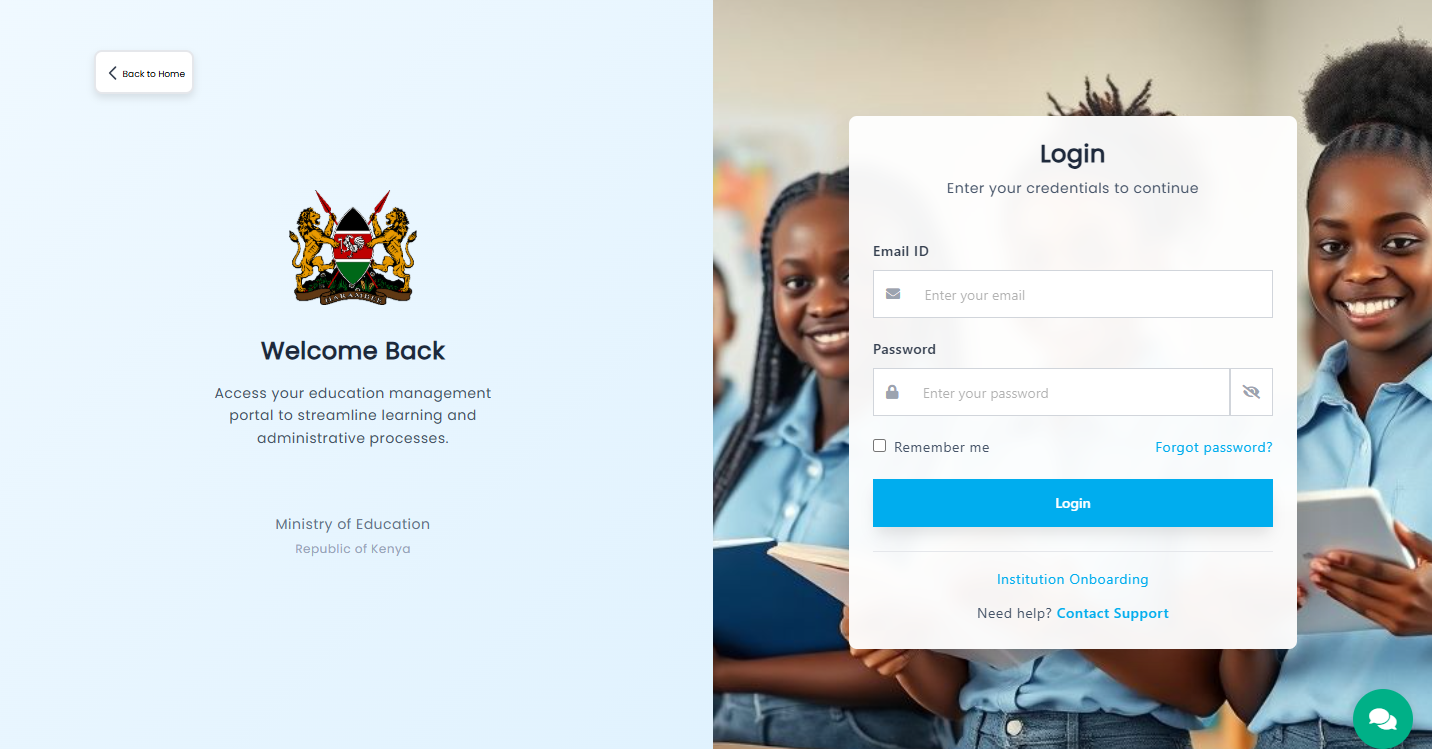
Next, the KEMIS Login Page will load and you can begin the login process of accessing KEMIS account dashboard.
- Step 4: Enter Email Address
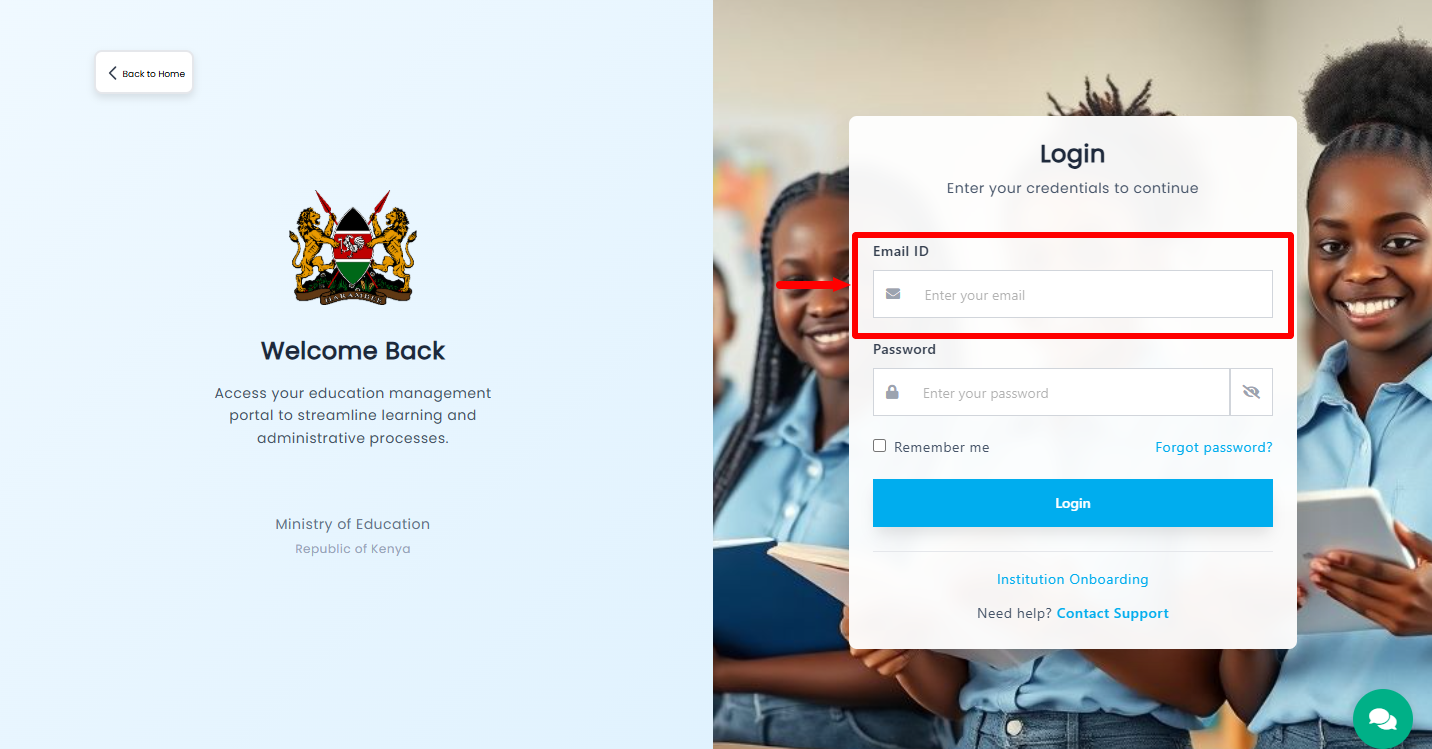
In this step, you need to “Enter Email Address” registered on KEMIS. You need to ensure that you provide the correct email address that is registered on the KEMIS portal.
- Step 5: Enter KEMIS Password
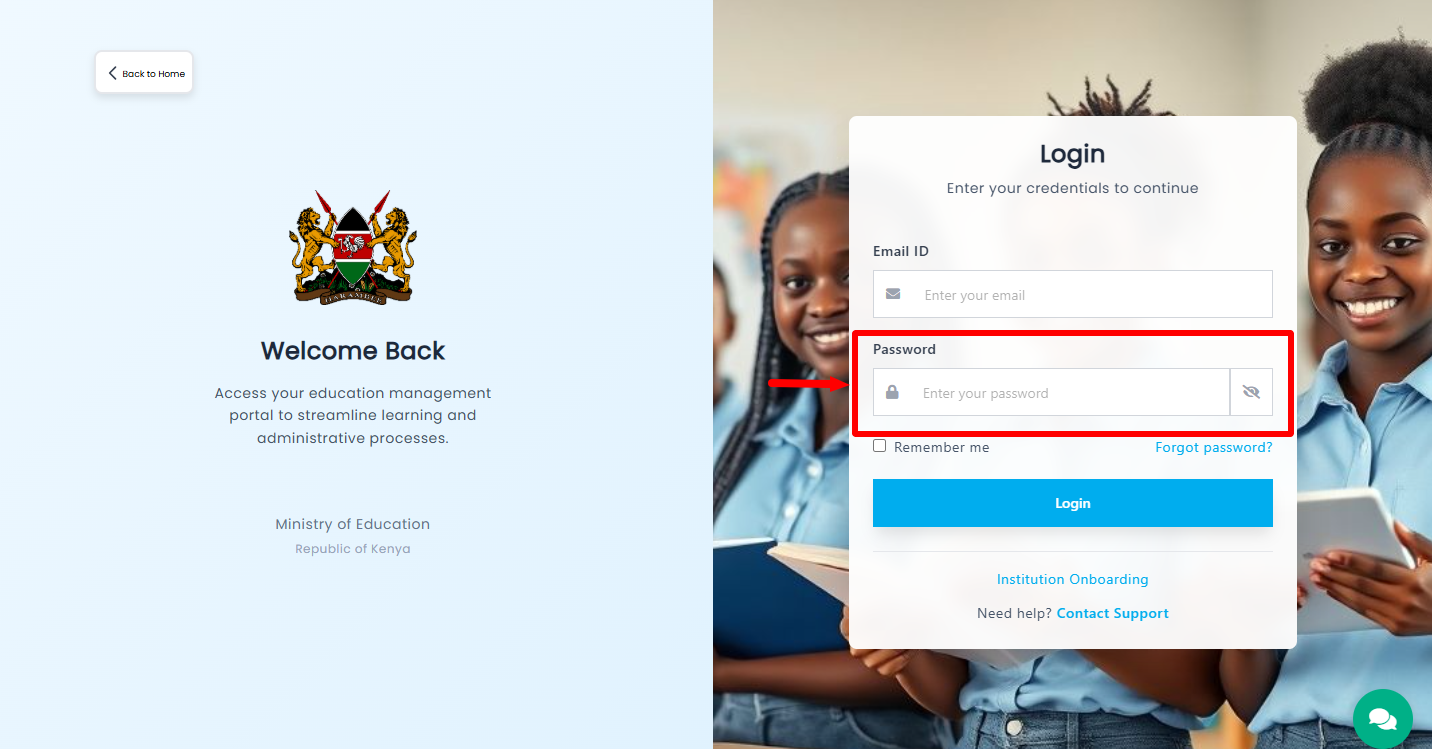
Next, enter the “KEMIS Password” that is associated with your account. If you don’t have forgotten your KEMIS account password, you can easily reset the KEMIS Password online.
- Step 6: Click on Login
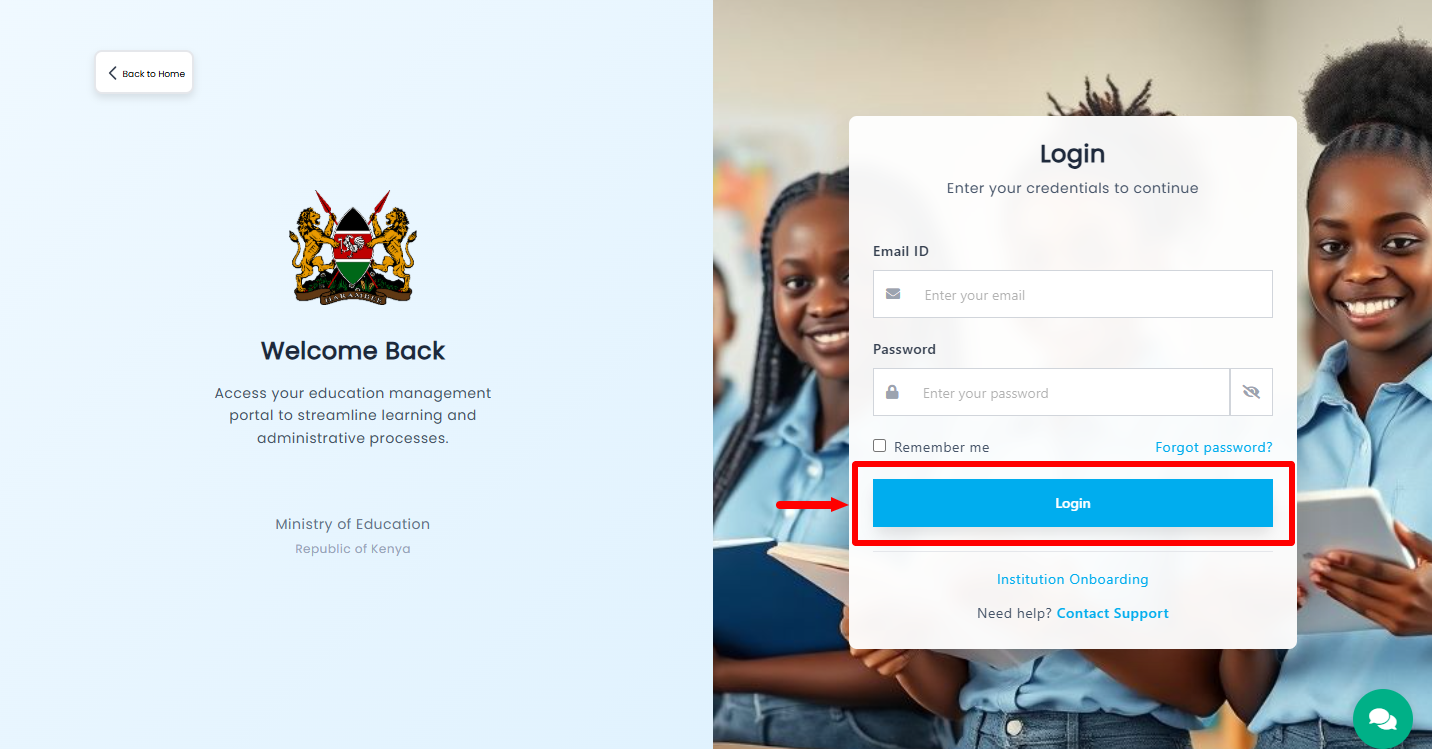
Lastly, once you have entered the email assdress associated with KEMIS account and have entered your KEMIS account password, proceed and click on the “Login” button to access your KEMIS account dashboard. You will be successfully logged into your KEMIS Portal account and you can now begin using your KEMIS portal account.
Overview: KEMIS Login
To begin, visit the official KEMIS website using your preferred web browser and click Login to access the KEMIS login section. The KEMIS Login Page will then be displayed, providing the fields required to enter your account credentials. Enter the Email Address registered on KEMIS in the username or email field, then proceed to the password section.
READ ALSO: How To Refresh Fuliza Limit
Next, enter your KEMIS Password in the required password field. Check that both your registered email address and password are correct, then click Login to submit your details. If the credentials are correct, you will be successfully logged in to your KEMIS account and can access the available services and information.