
If you have forgotten your KEMIS password, you can reset it using the password recovery option available on the KEMIS login page. The reset process allows authorized KEMIS users to regain access to their accounts by using the registered username, which is the institution’s email address.
This guide explains how to reset KEMIS password online. It takes you through the process of accessing the Forgot/Reset Password option, entering the registered institution’s email address, and following the instructions provided to create or receive a new password for accessing KEMIS.
READ ALSO: How To Refresh Fuliza Limit
What is KEMIS Password?
KEMIS password is a security credential used by an authorized user to access their KEMIS account. It works together with the user’s registered username, which is the institution’s email address, to verify their identity when logging in to KEMIS.
The KEMIS password helps protect the institution’s account and the education information accessible through the system from unauthorized access. Users should keep their password private and secure, and if they forget it, they can use the Forgot/Reset Password option on the KEMIS login page to regain access to their account.
What is KEMIS Password Reset?
KEMIS Password Reset refers to the process of recovering access to a KEMIS account when the user has forgotten or cannot access their current password. The process allows an authorized KEMIS user to request a password reset and regain access to their account without creating a new account.
The KEMIS password reset process is carried out using the Forgot/Reset Password option on the KEMIS login page. The user provides the registered username, which is the institution’s email address, and follows the instructions provided to reset the password and access their KEMIS account.
Requirements Needed To Reset KEMIS Password
To reset your KEMIS password, you need access to the login details associated with your KEMIS account. The registered institution’s email address, which is used as the username, is required to initiate the password reset process. The requirements needed to reset KEMIS password are:
- Registered institution’s email address
- Access to the institution’s email account
Once you have the registered institution’s email address and access to the email account, you can proceed to reset your KEMIS password. The process involves accessing the KEMIS login page, selecting the Forgot/Reset Password option, entering the registered email address, and following the instructions provided to reset your password.
How To Reset KEMIS Password
With your registered institution’s email address and access to the email account ready, you can begin the process of resetting your KEMIS password. The process involves opening the KEMIS login page, selecting the Forgot/Reset Password option, entering your registered email address, and following the instructions provided to reset your password. Follow the steps below to reset KEMIS password:
- Step 1: Visit KEMIS website

The first step in the process of KEMIS Password Reset is to visit KEMIS website using https://kemis.go.ke
- Step 2: Click on Login

Once you are on KEMIS website, proceed and click on the “Login” button to start the process if resetting KEMIS Password online.
- Step 3: KEMIS Login Page
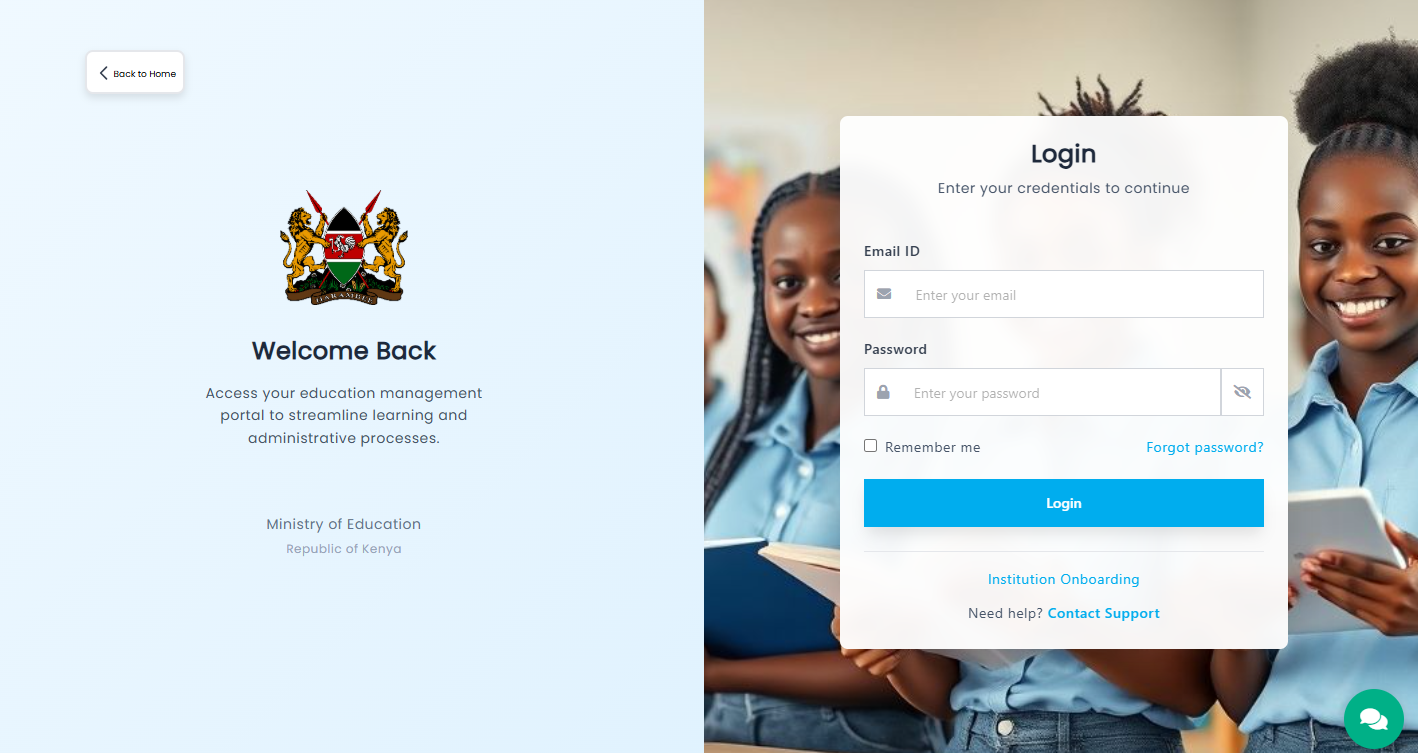
In this step, the KEMIS Login page will load and you can now start the process of KEMIS Password Reset.
- Step 4: Click Forgot Password
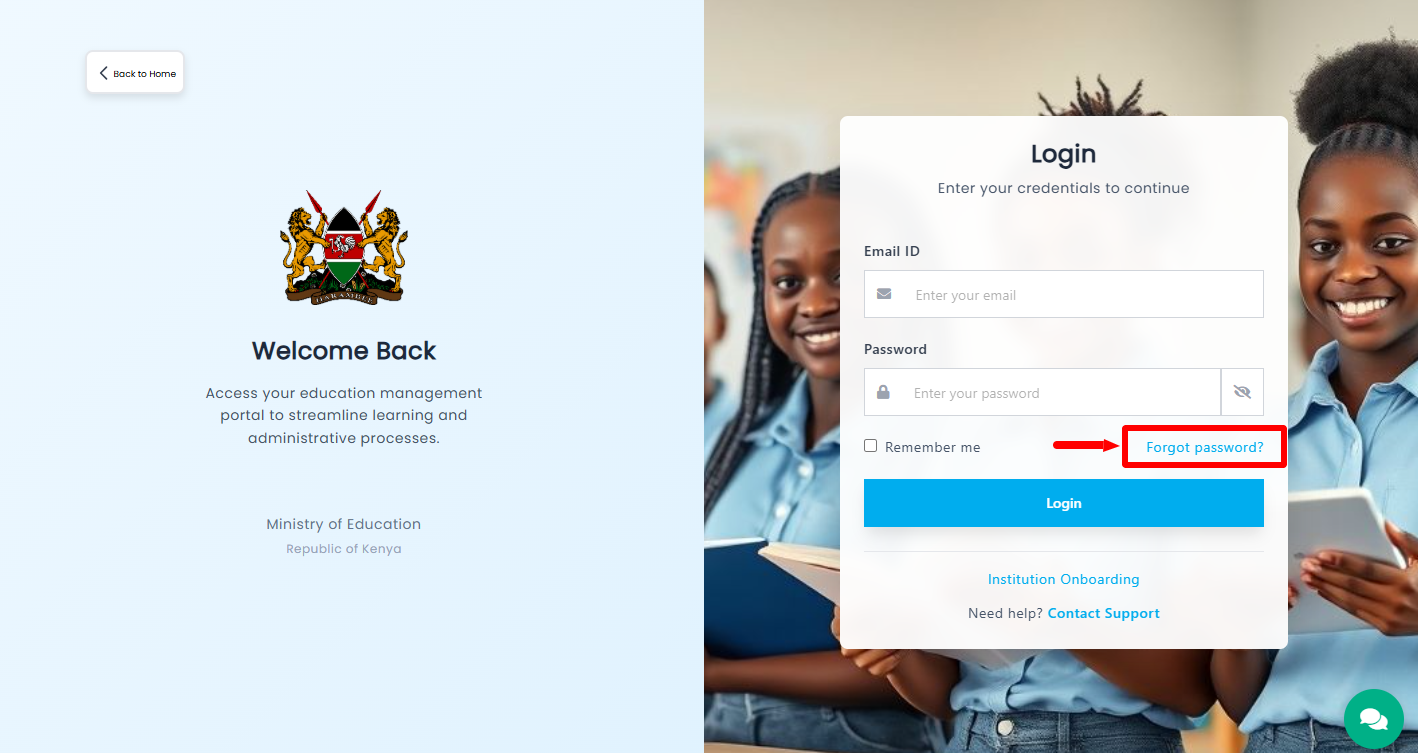
On the KEMIS Login page, proceed and click on the “Forgot Password” link to initiate the resetting of KEMIS Password online.
- Step 5: Enter Email Address Registered on KEMIS
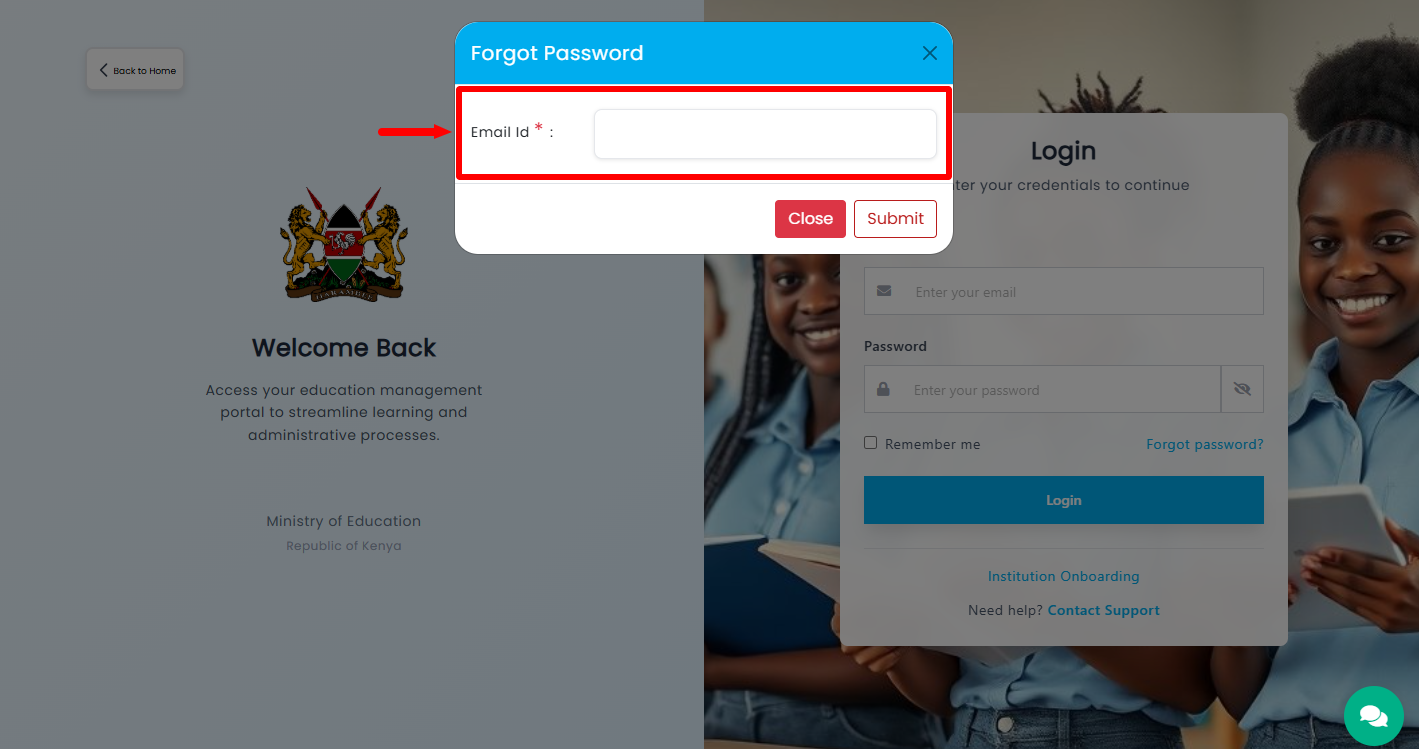
Next, you need to enter the email address that is registered on KEMIS. Ensure this is the correct email address as the KEMIS Password reset will be sent to that email address.
- Step 6: Click Submit
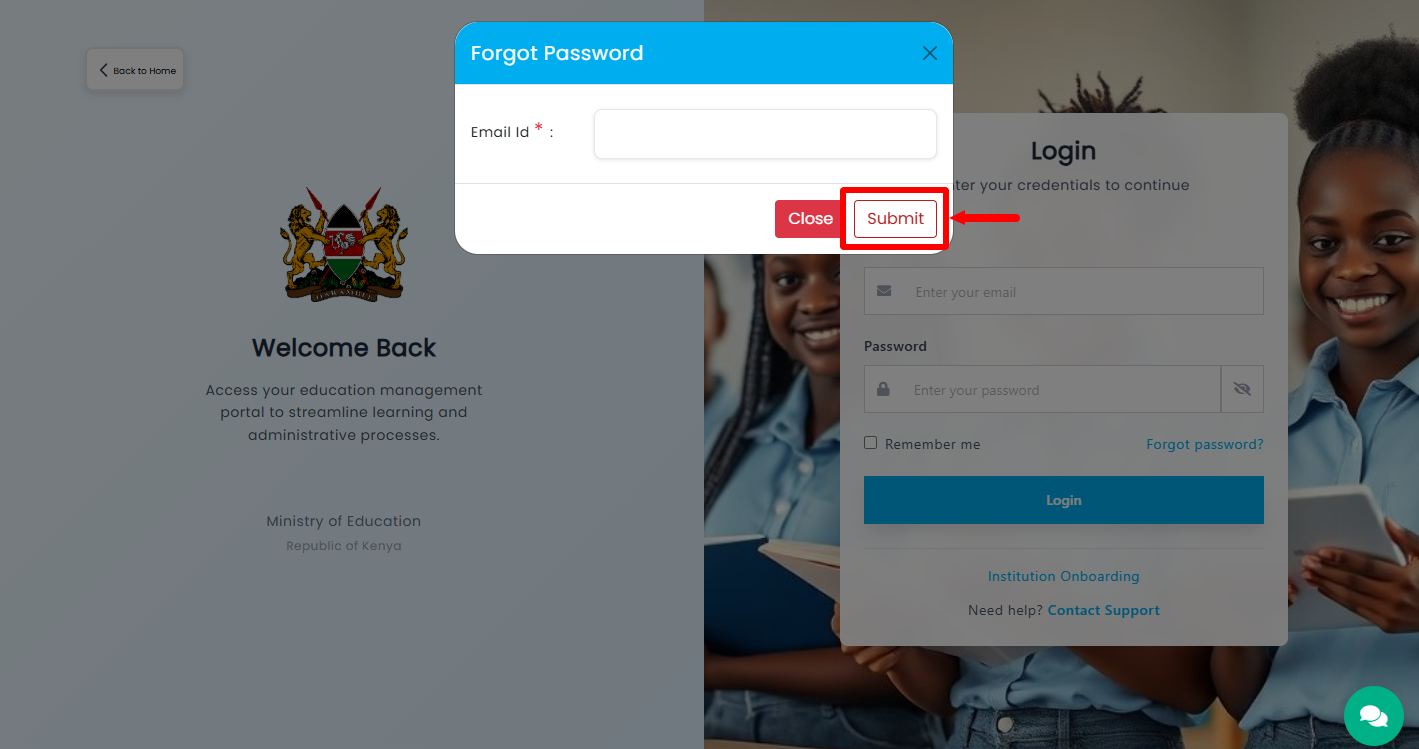
Once you have entered the email address registered on KEMIS, proceed and click on the “Submit” button. After clicking Submit, check the registered email account for the Password Reset Link sent by KEMIS. Open the link and Set Up New KEMIS Password by entering and confirming your new password as required.
Once the new password has been successfully set, the KEMIS Password Reset will be successful, and you can use the new password to log in to your KEMIS account. That will mark the successful completion of KEMIS Password Reset process.
Overview: KEMIS Password Reset
To begin, visit the KEMIS website and click Login to access the KEMIS login page. Click Forgot Password and enter the Email Address Registered on KEMIS in the required field. Click Submit to send the password reset request. After submitting the request, check the registered email account for the Password Reset Link sent by KEMIS.
READ ALSO: How To Download Police Abstract Form
Open the password reset link from your email and proceed to Set Up New KEMIS Password. Enter and confirm your new password as required, then complete the password reset process. Once the new password has been successfully set, the KEMIS Password Reset process is complete and you can use the new password to log in to your KEMIS account.