
Your M-PESA Fuliza limit can change over time based on your use of the service and your repayment behavior. If Safaricom makes the Refresh My Limit option available on your M-PESA line, you can use it to request a review of your current Fuliza limit and check whether you qualify for a refreshed Fuliza limit. Take note that there is no guarantee that your Fuliza Limit will be increased immediately after requesting for Fuliza Limit Refresh.
This guide explains how to refresh your Fuliza limit using the Safaricom M-PESA USSD service *334#. It takes you through the latest step-by-step process of accessing Fuliza, selecting Refresh My Limit, and checking the outcome of the limit refresh request on your M-PESA number. You can refresh your Fuliza Limit once every 30 days and you need to keep using Safaricom services to grow your Fuliza Limit.
READ ALSO: How To Download Police Abstract Form
What is Fuliza Limit?
The Fuliza Limit is the maximum amount of money that an eligible M-PESA customer can access through Fuliza when their available M-PESA balance is not enough to complete a transaction. The Fuliza Limit is assigned to an individual customer and determines the amount of Fuliza they can use at a particular time. Your Fuliza M-PESA Limit allows you to transact normally on M-PESA even with insufficient funds and accept the Fuliza request at the end of the M-PESA transaction.
Your Fuliza M-PESA Limit is not fixed and is reviewed based on factors such as your use of Safaricom and M-PESA services in Kenya. The available Fuliza Limit can therefore change over time, and customers can use the Refresh My Fuliza Limit option to request a review of their current Fuliza Limit where the option is available to them. The M-PESA Fuliza Limit depends on the use of M-PESA, data and voice (use of Safaricom and M-PESA services in Kenya).
What is Fuliza Limit Refresh?
Fuliza Limit Refresh is the process of requesting a review of your current M-PESA Fuliza Limit through the Refresh My Limit option available on the Safaricom USSD code *334#. It allows an eligible Safaricom M-PESA customer to submit a request for their current Fuliza Limit to be reassessed based on their current account and credit profile.
It is important to take note that a Fuliza Limit Refresh does not guarantee that your Fuliza Limit will increase. After the refresh request is processed, your available Fuliza limit may increase, remain the same, or change according to the eligibility and credit assessment applied to your account. Also, can refresh your Fuliza Limit once every 30 days and you need to keep using Safaricom services to grow your Fuliza M-PESA Limit.
Requirements Needed To Refresh Fuliza Limit
To refresh your M-PESA Fuliza Limit, you need an active Safaricom mobile line with access to the M-PESA USSD service. You should also have your M-PESA PIN available to authorize the transaction where required. The requirements needed to refresh your Fuliza Limit are:
- Safaricom M-Pesa Number
Once you have an active Safaricom line and access to M-PESA, you can proceed to request a refresh of your Fuliza Limit. The process involves accessing the Fuliza service through the M-PESA USSD menu, selecting the Refresh My Limit option, and following the instructions provided.
How To Refresh Fuliza Limit
With your Safaricom line ready, you can access the Fuliza service through the M-PESA USSD menu and request a refresh of your current limit. The process involves dialing *334#, opening the Fuliza menu, selecting Refresh My Limit, and following the prompts provided by the system. Follow the steps below to refresh your Fuliza M-PESA Limit:
- Step 1: Dial *334#
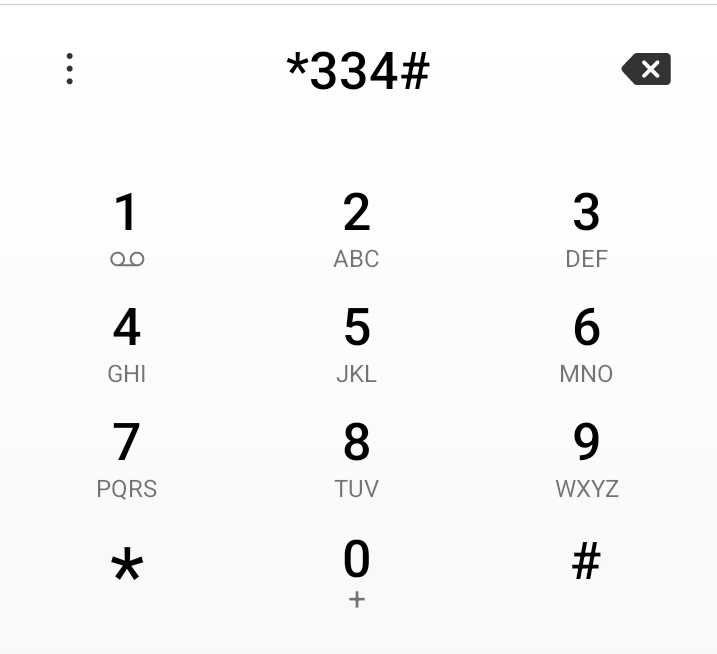
The first step in the process of M-PESA Fuliza Limit Refresh is to dial the Safaricom USSD code *334# on your phone.
- Step 2: Select Fuliza M-PESA
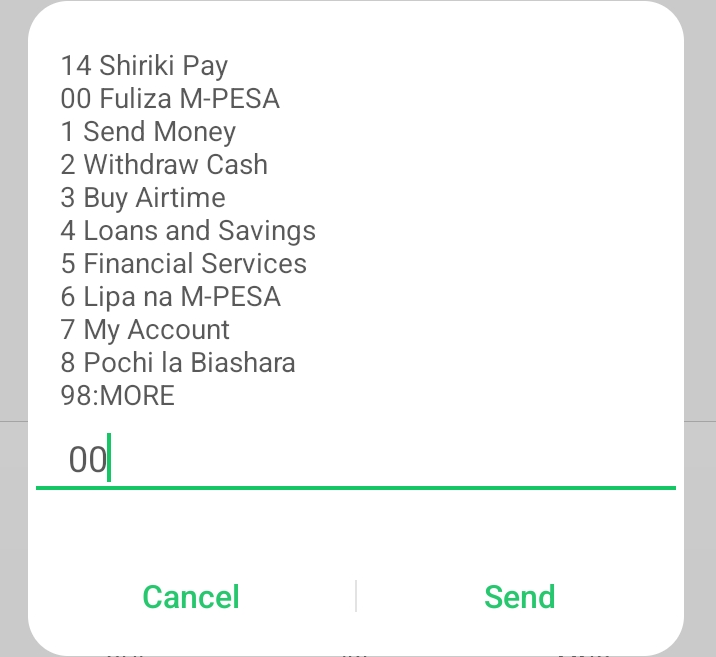
Next, on the options displayed, select the Option 00 – “Fuliza M-PESA” then proceed and click on the “Send” button.
- Step 3: Select Refresh My Limit
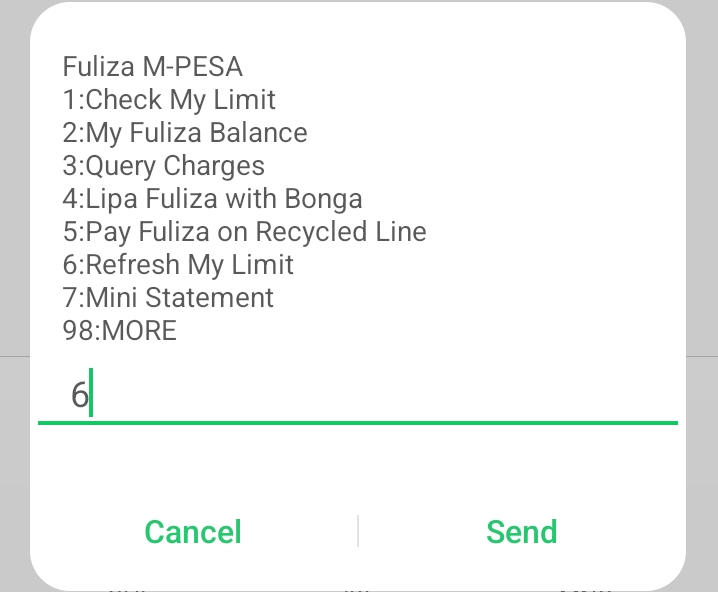
In this step, you need to select Option 6 – “Refresh My Limit” and then click on the “Send” button.
- Step 4: Enter M-PESA PIN
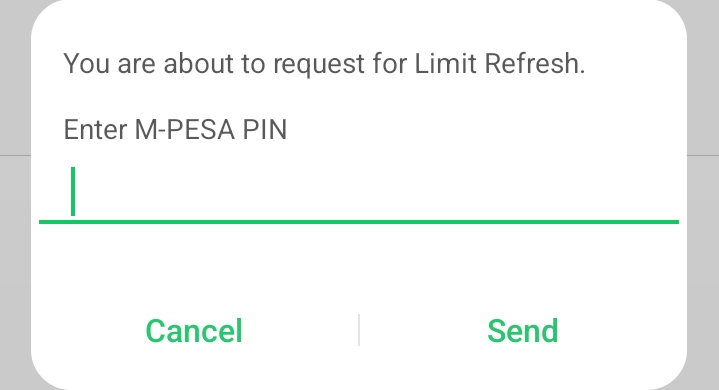
In this step, you are about to request for Limit Refresh. Enter your “M-PESA PIN” and click on the “Send” button to proceed.
- Step 5: Fuliza Limit Confirmation Message
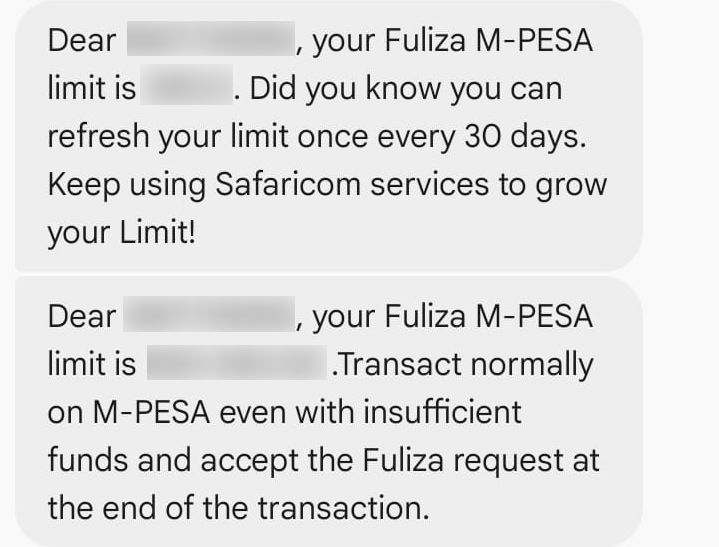
You will receive an SMS from M-PESA confirming successful processing of your M-PESA Fuliza Limit Refresh. If your Fuliza M-PESA Limit hasn’t changed, you need to wait for 30 days before refreshing Fuliza Limit again. Also, keep using Safaricom services to grow your M-PESA Fuliza Limit.
Overview: Fuliza Limit Refresh
To begin, dial *334# on your Safaricom line and select Fuliza M-PESA from the available menu options. Choose Refresh My Limit to initiate the limit refresh process, then enter your M-PESA PIN when prompted to authorize the request.
READ ALSO: How To Verify IEBC Voter Details
After submitting the request, the system will process the M-PESA Fuliza Limit refresh and send a confirmation message to your Safaricom line. Check the message to see the outcome of the refresh and your updated Fuliza limit, where applicable.