
Huduma Centre Appointment allows you to book a visit to a Huduma Centre before going to the centre to access the service you need. Huduma Kenya currently has 61 Huduma Centres across Kenya, giving customers the option to select a suitable centre when making an appointment.
This guide explains how to book a Huduma Centre Appointment online using the official Huduma Kenya Appointment website. The process involves accessing the appointment system, logging in using your eCitizen account details, selecting the Huduma Centre where you want to receive the service, and completing the appointment booking process. Once the appointment is successfully booked, you can visit the selected Huduma Centre on the scheduled date and time.
READ ALSO: How To Log In To KEMIS
What is Huduma Centre Appointment?
Huduma Centre Appointment refers to the online booking process that allows customers to schedule a visit to a Huduma Centre before accessing the services they need. The appointment system helps customers select a preferred Huduma Centre and arrange their visit in advance instead of visiting the centre without an appointment.
The Huduma Centre Appointment is booked online through the official Huduma Kenya Appointment website using your eCitizen account details. During the booking process, you can select one of the available Huduma Centres across Kenya and provide the required appointment details. Once the booking is completed successfully, you can visit the selected Huduma Centre on the scheduled appointment date and time.
What is Huduma Centre Appointment Booking?
Huduma Centre Appointment Booking refers to the process of scheduling a visit to a Huduma Centre online before going to the centre to access a service. It allows customers to choose a preferred Huduma Centre and select the available appointment details based on the service they need.
The Huduma Centre Appointment Booking process is completed through the official Huduma Kenya Appointment website using your eCitizen account details. After logging in, you can select your preferred Huduma Centre from the available centres across Kenya and provide the required information to complete the booking. Once the appointment is successfully booked, you can visit the selected centre on the scheduled date and time.
Requirements Needed To Book Huduma Centre Appointment
To book a Huduma Centre Appointment online, you need an active eCitizen account because your eCitizen account details are used to log in to the Huduma Kenya Appointment system. You should also have access to your eCitizen login credentials and the information needed to select your preferred Huduma Centre and appointment details. The requirements needed to book a Huduma Centre Appointment are:
- eCitizen Account Login Details
Once you have your active eCitizen account and login details ready, you can proceed to book your Huduma Centre Appointment online. The process involves visiting the Huduma Kenya Appointment website, logging in using your eCitizen account details, selecting your preferred Huduma Centre, choosing the available appointment details, and submitting your booking.
How To Book Huduma Centre Appointment
With your eCitizen account and login details ready, you can begin booking your Huduma Centre Appointment online. The process involves accessing the Huduma Kenya Appointment website, logging in using your eCitizen account details, selecting the Huduma Centre where you want to receive the service, and completing the required appointment details. Follow the steps below to book a Huduma Centre Appointment:
- Step 1: Visit Huduma Kenya Appointment website
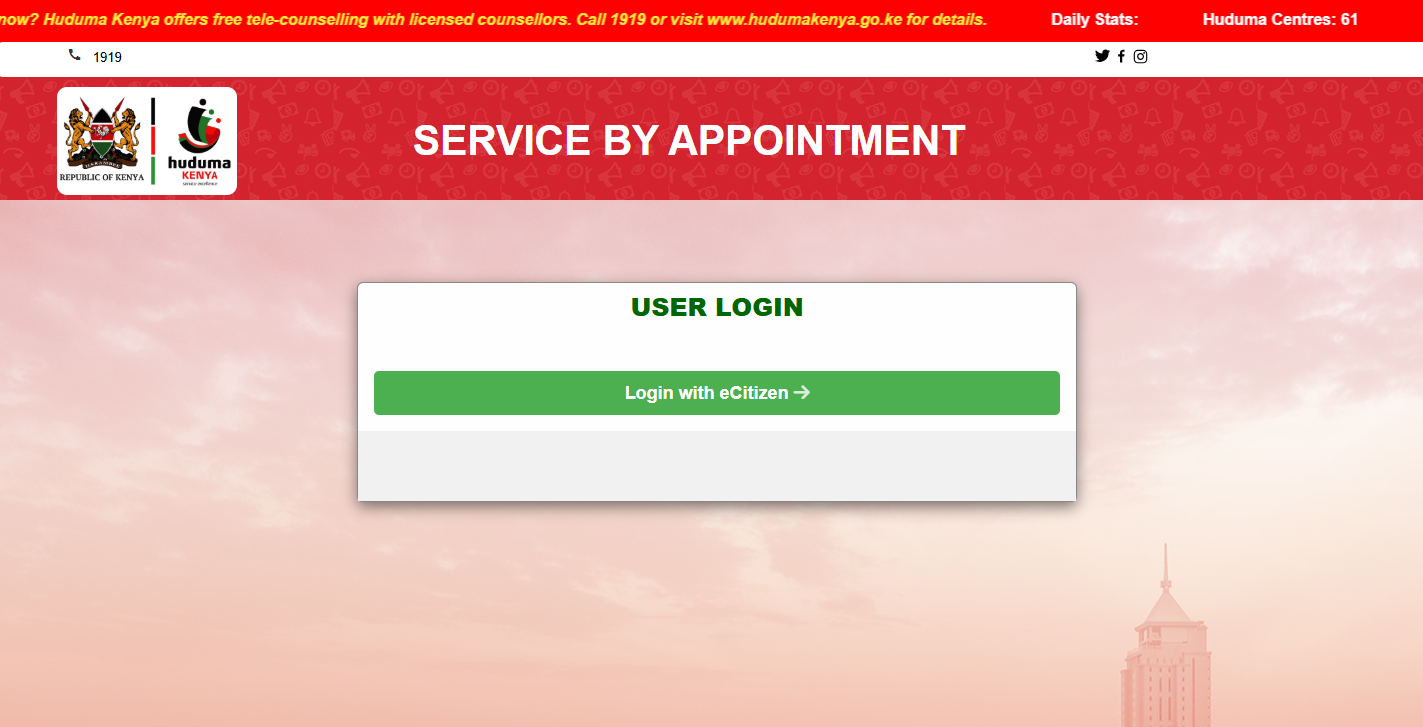
The first step in the process of booking appointment at Huduma Centre is to visit the Huduma Kenya Appointment website (service by appointment) using https://appointment.hudumakenya.go.ke
- Step 2: Click on Login with eCitizen
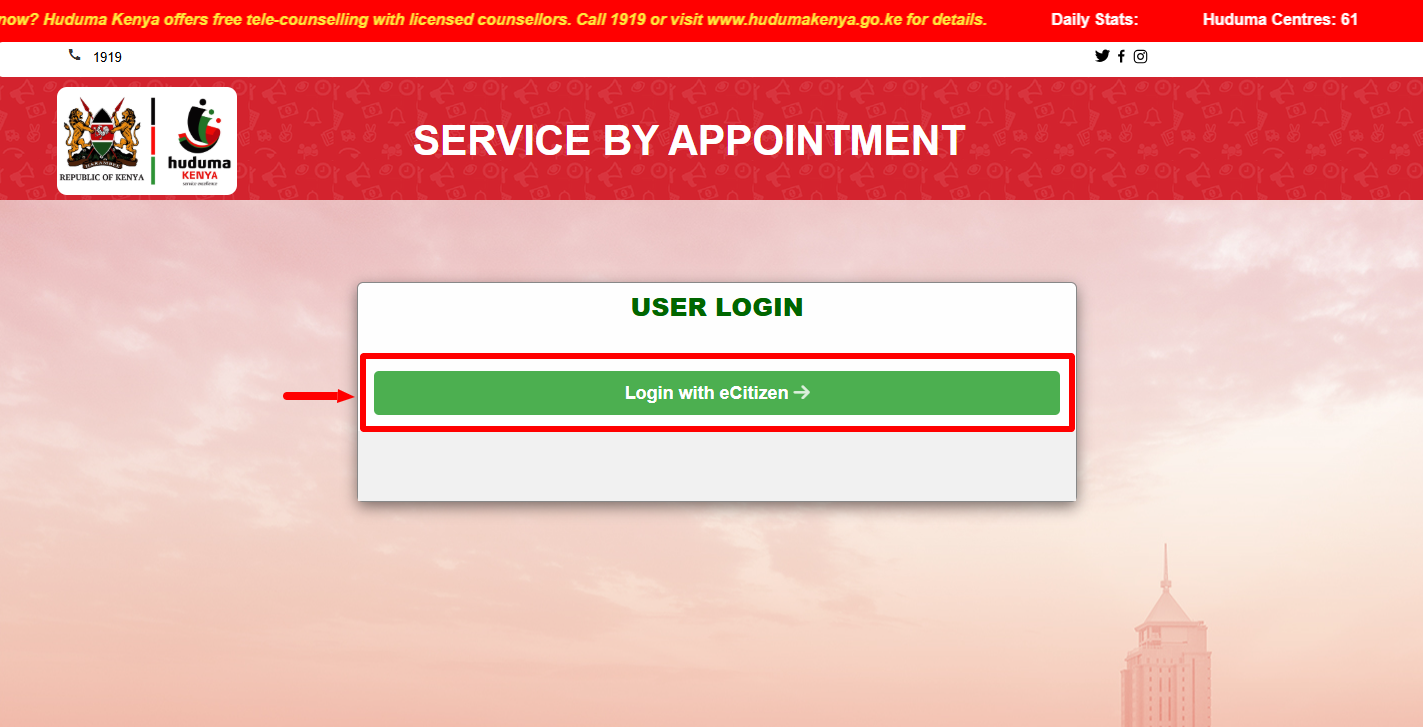
Once you are on Huduma Kenya Appointment website, click on the “Login with eCitizen” button to access the service by appointment dashboard.
- Step 3: Enter eCitizen Login Details
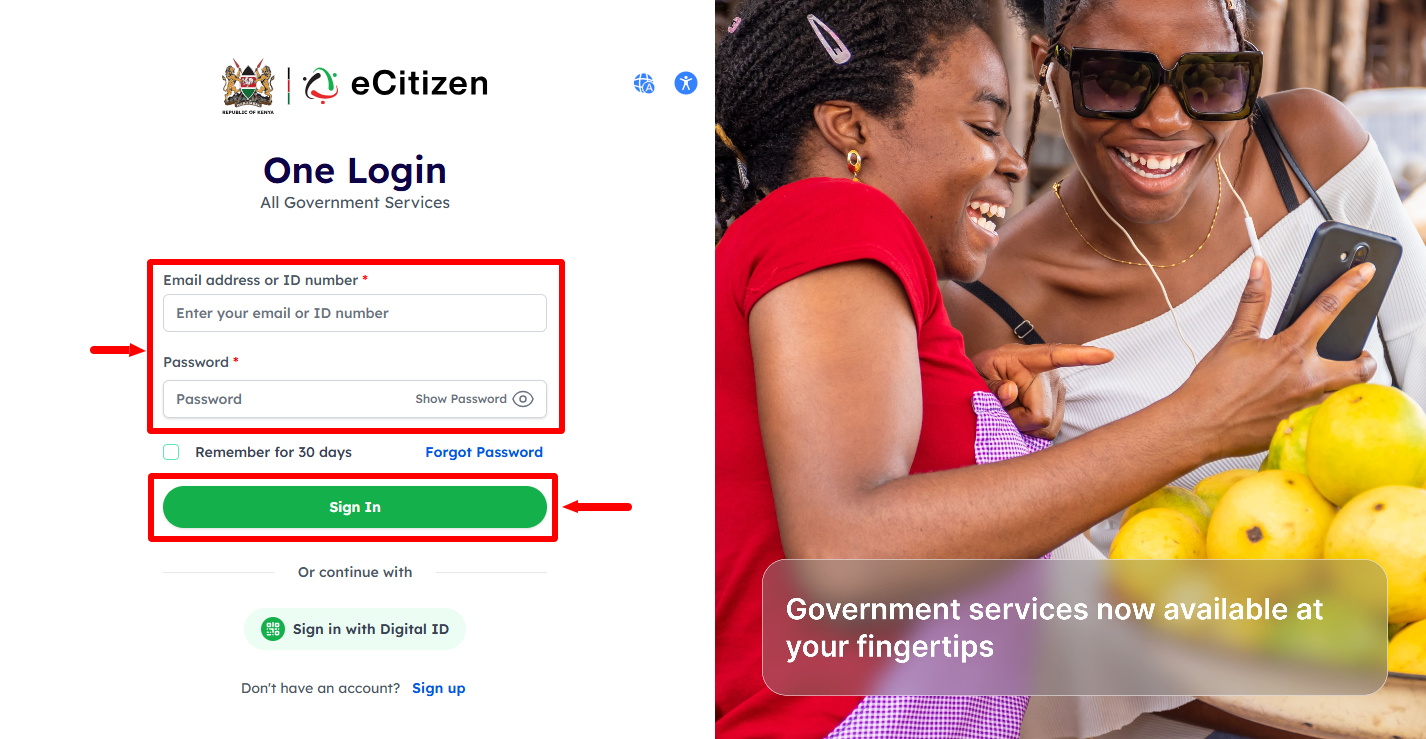
In this step, you need to enter eCitizen login details i.e. “Email Address or ID Number” and “eCitizen Password.” Once you have entered these two login credentials, proceed and click on the “Sign In” button to access Huduma Kenya Online Appointment dashboard.
- Step 4: Huduma Centre Appointment Dashboard
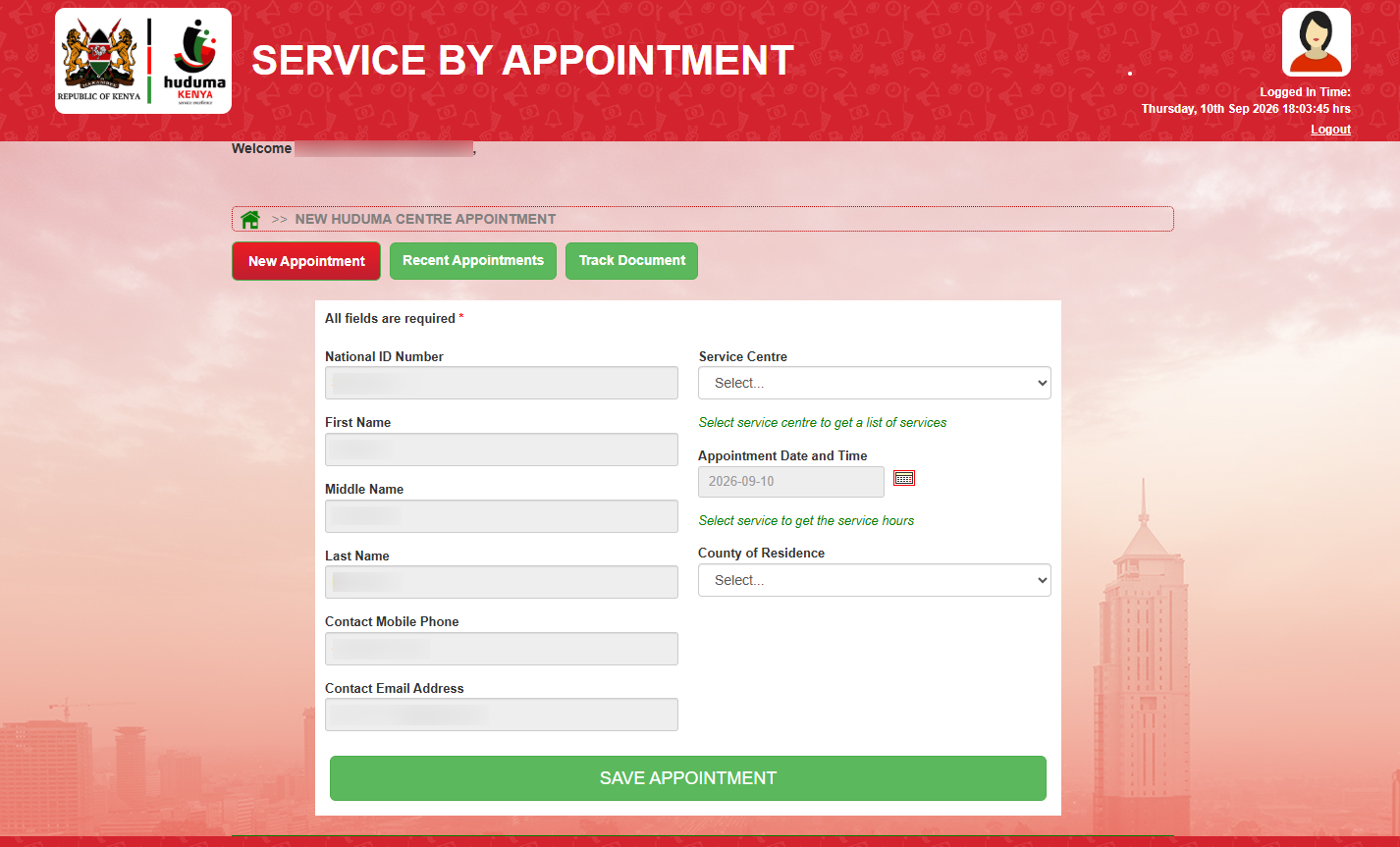
Once you have entered the correct eCitizen login credentials, you will be logged in successfully to your “Huduma Centre Appointment Dashboard” and you can now start the process of Huduma Centre Apointment Booking online.
- Step 5: Click New Appointment
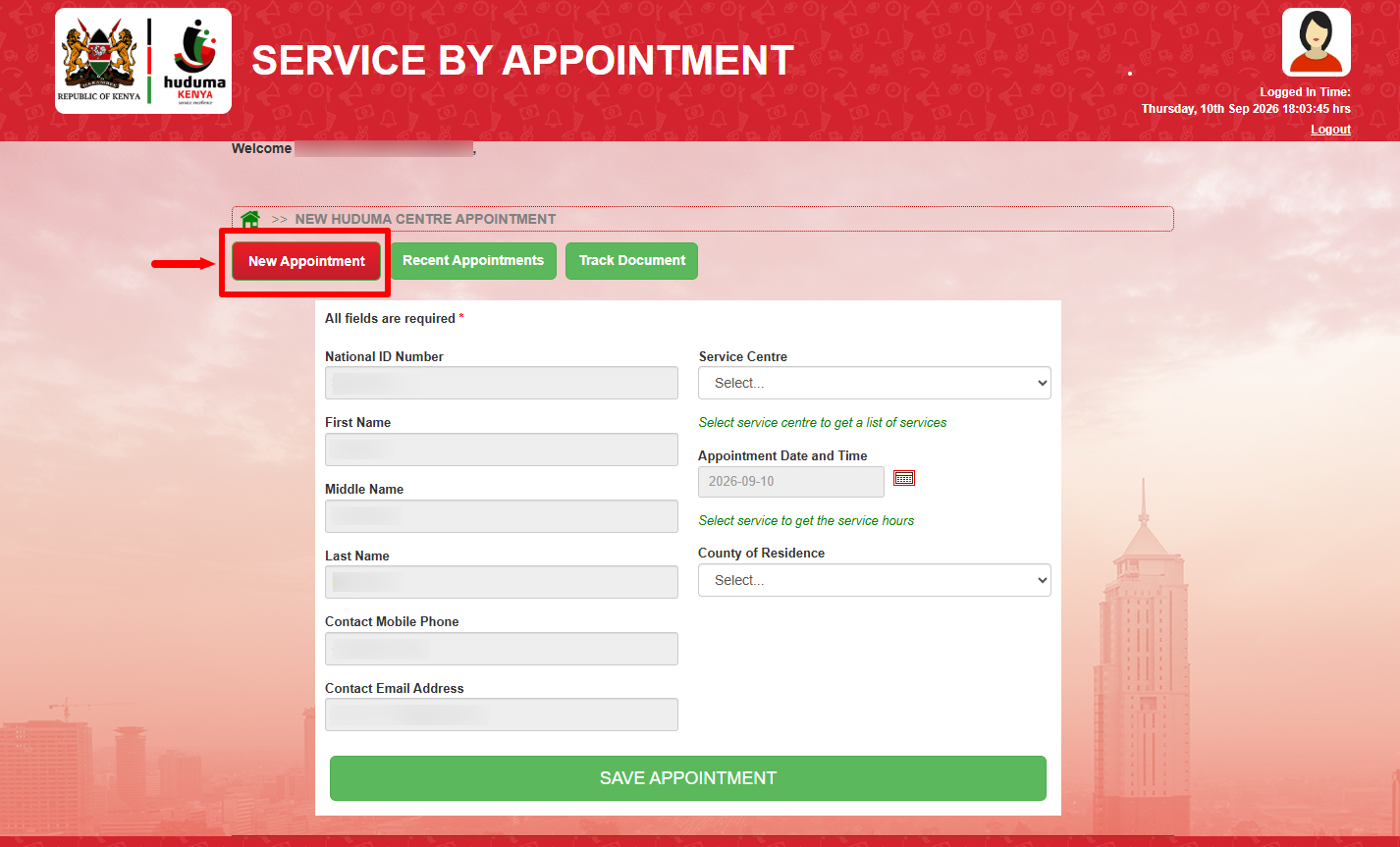
Next, click on “New Appointment” to start the process of Huduma Centre Appointment Booking online.
- Step 6: Select Service Centre
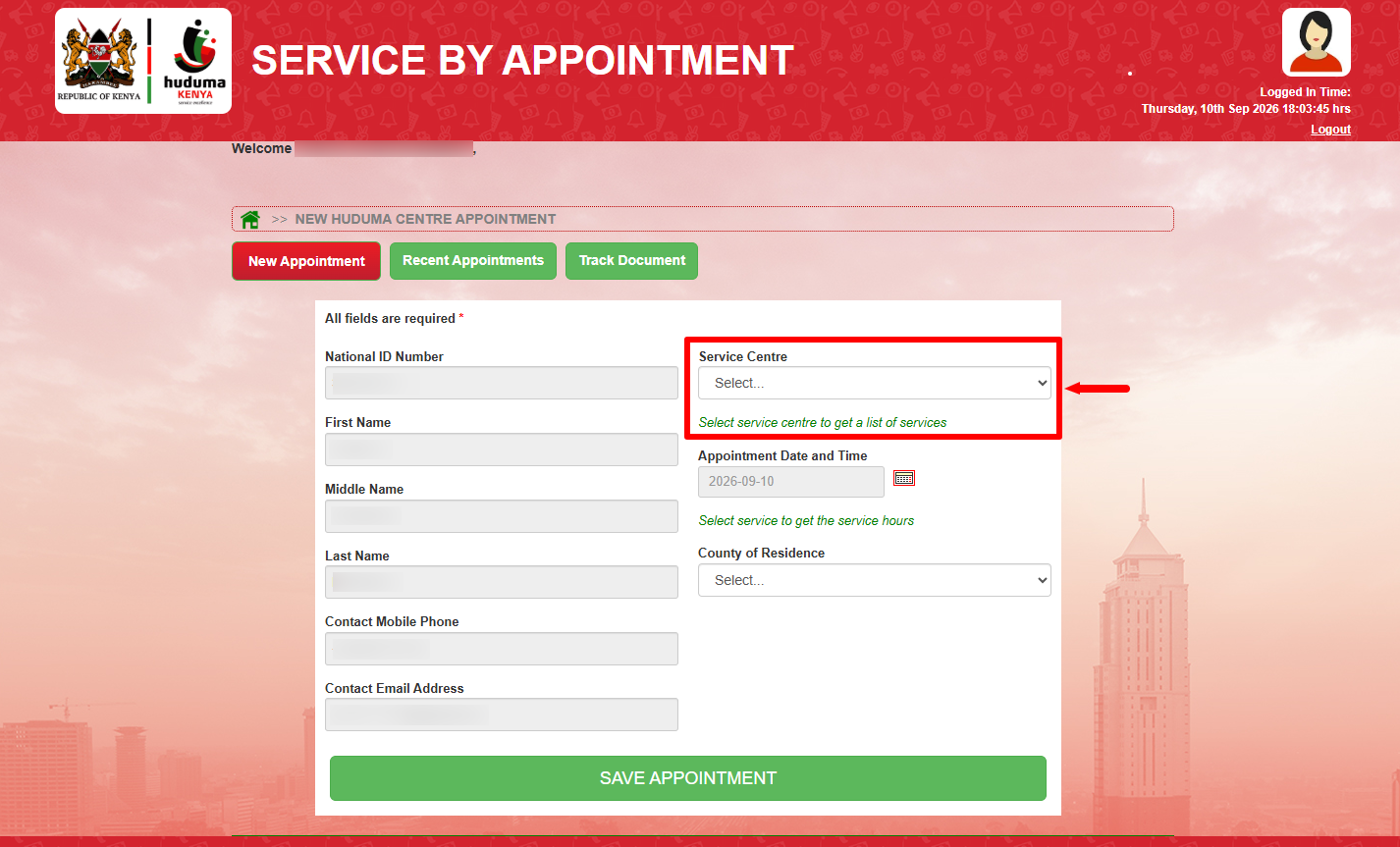
In this step, you need to “Select Service Centre” to get a list of services. You can choose the service centre from the list of the 61 Huduma Centres across Kenya.
- Step 7: Select Service
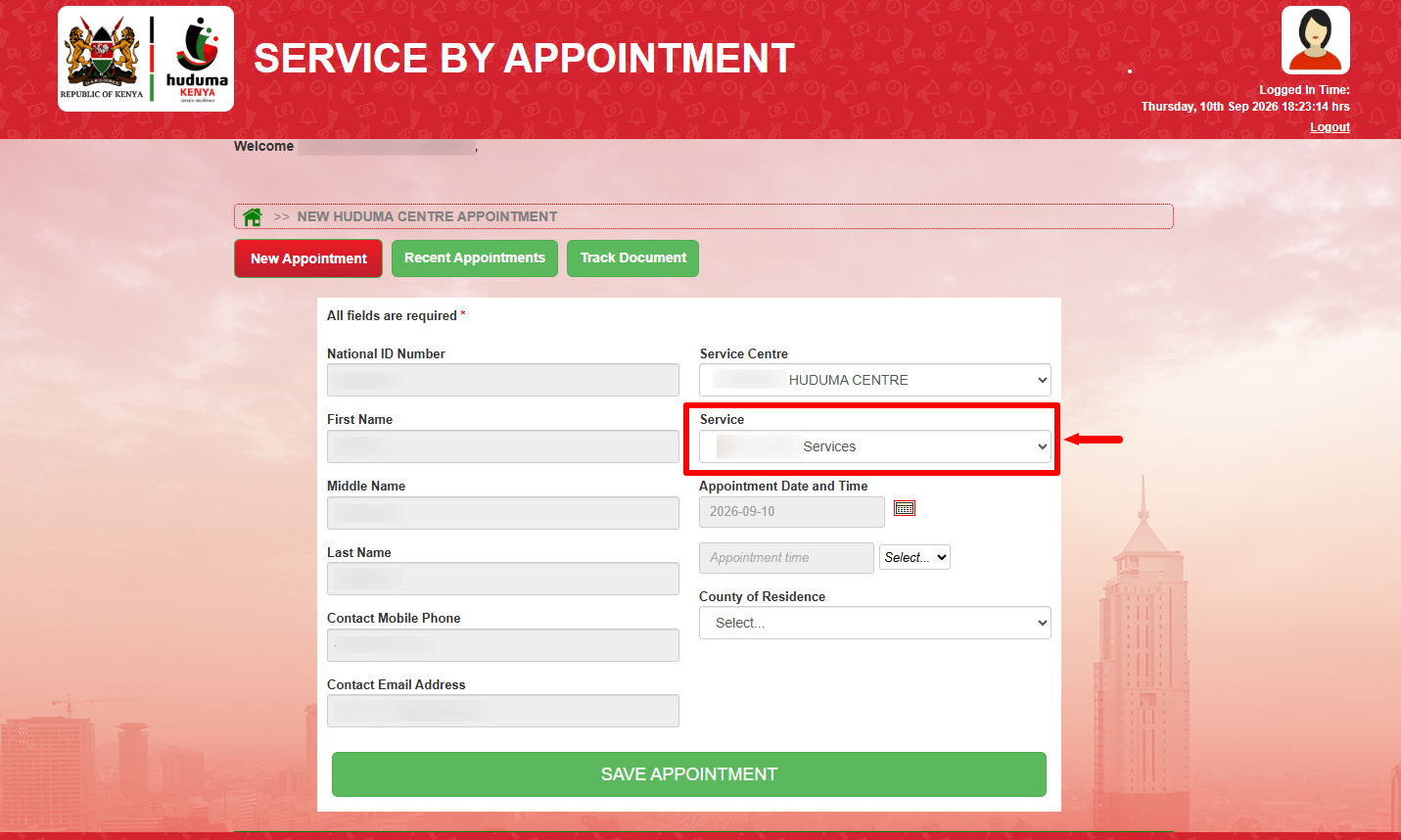
Next, after selecting the service centre i.e. Huduma Centre, you now need to select the “Service” that you want to get at the Huduma Centre.
- Step 8: Appointment Date and Time
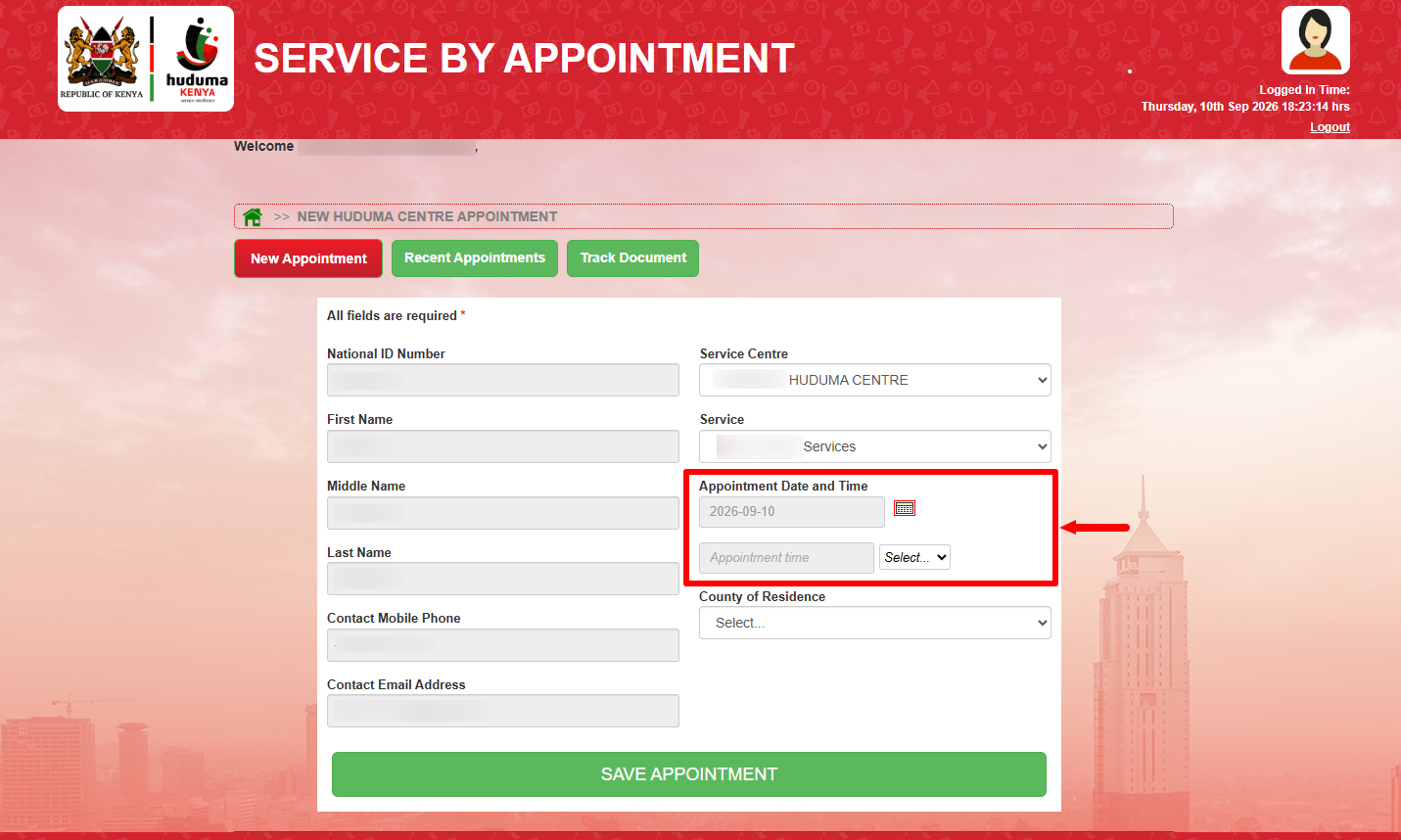
Next, select the “Appointment Date and Time” before proceeding to the next step.
- Step 9: County of Residence
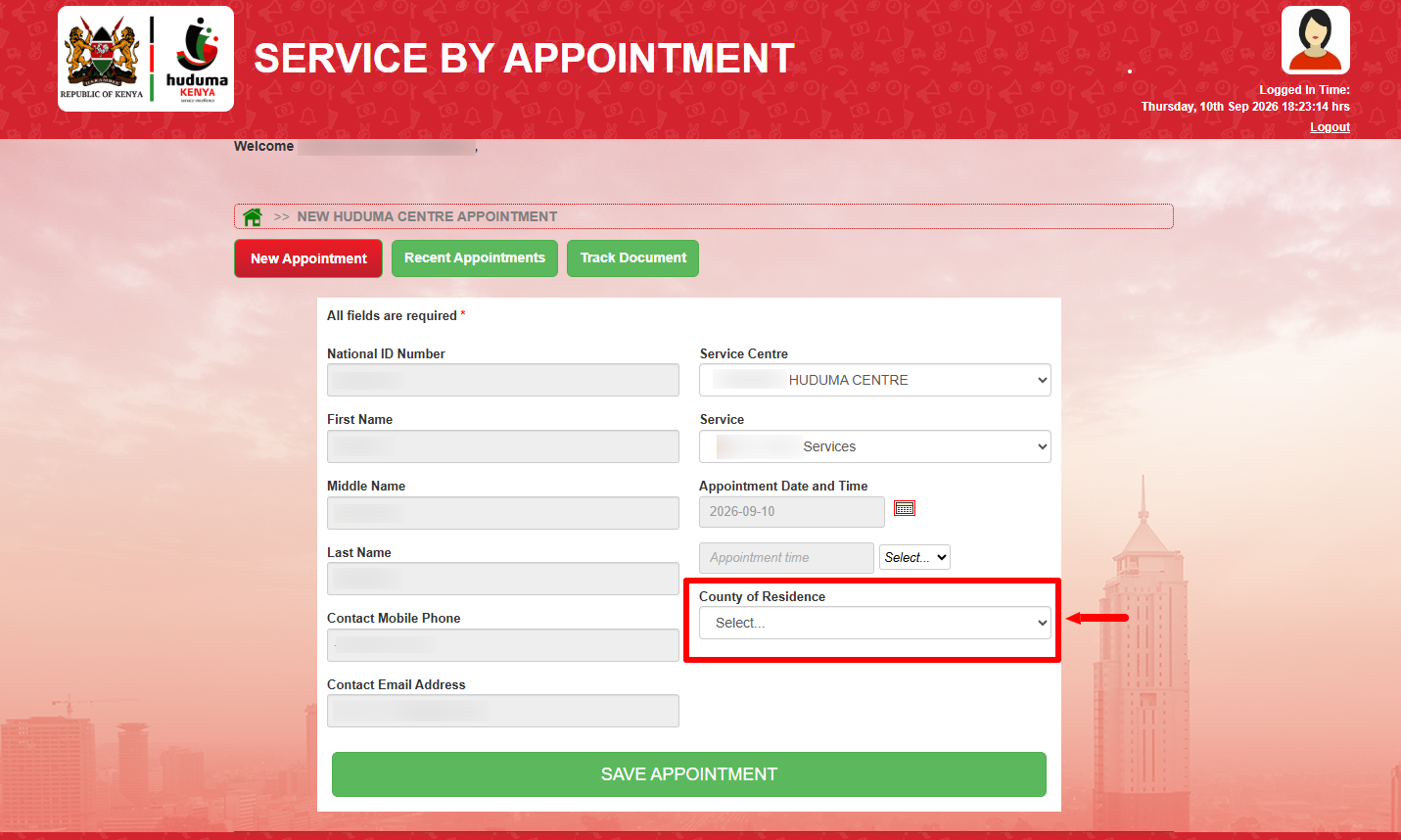
In this step, you need to select the “County of Residence” i.e. the county where you currently live in.
- Step 10: Click Save Appointment
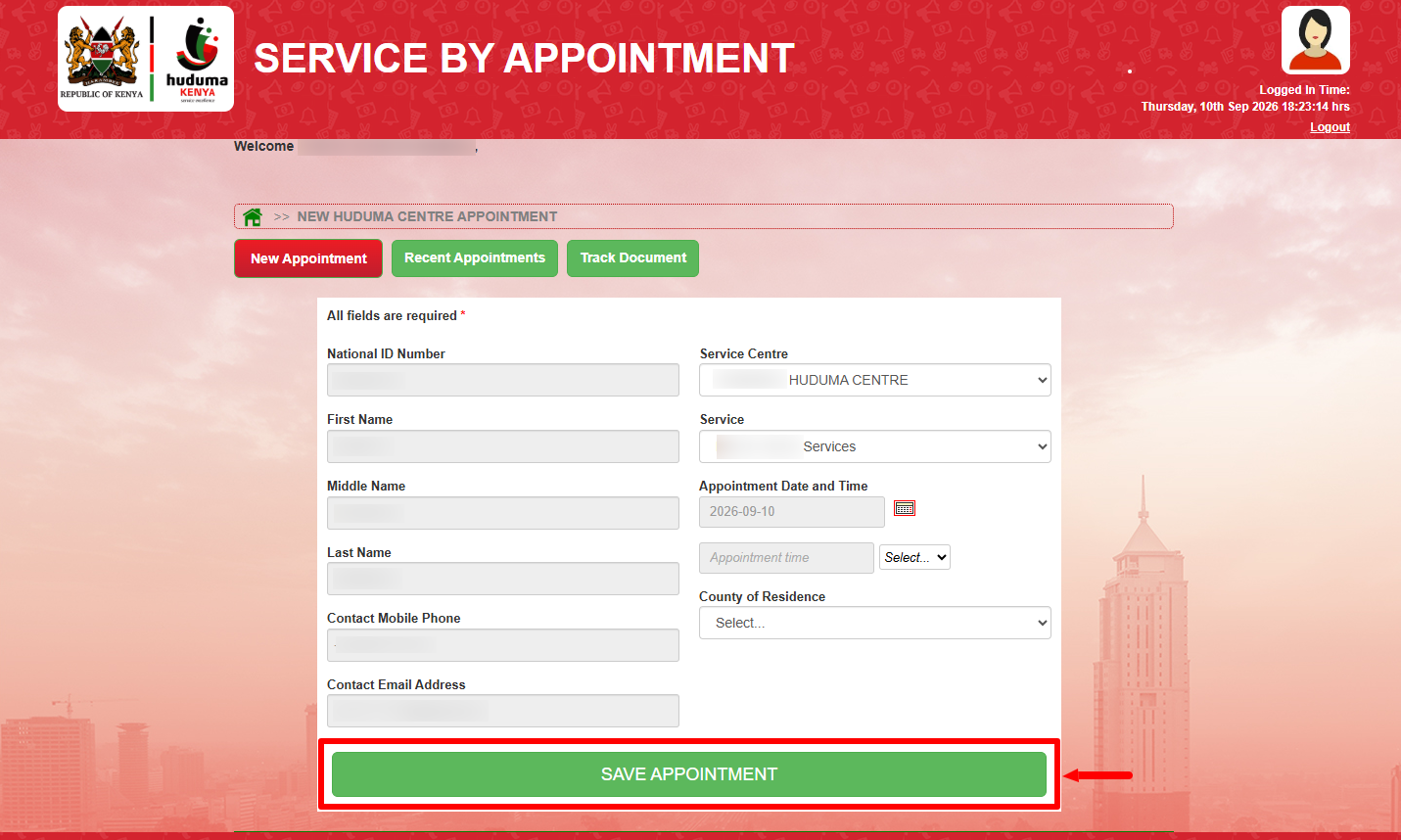
Lastly, click on the “Save Appointment” button to complete the process of Huduma Centre Appointment Booking. At this stage, you have successfully completed the online appointment booking at Huduma Centre and you can now visit that centre as per the details of appointment that you entered in the Huduma Kenya Appointment system.
Overview: Huduma Centre Appointment Booking
To begin, visit the Huduma Kenya Appointment website and click Login with eCitizen to access the login page. Enter your ID Number and eCitizen Password in the required fields, then click Login to access the appointment system. Once logged in, click New Appointment to start making your Huduma Centre appointment.
READ ALSO: How To Reset KEMIS Password
Next, select your preferred Service Centre from the available options, then choose your Appointment Date and Time based on the available slots. Enter your County of Residence and review the appointment details you have provided. Finally, click Save Appointment to submit your booking and complete the Huduma Centre Appointment process.