
If you have forgotten your HEF Portal password or can no longer access your account, you can reset your login credentials and regain access to the portal. The password recovery process is designed to help registered users create a new password without having to open another HEF account.
This guide takes you through the HEF Portal password reset process, including where to start the recovery request, the information you may need to provide, and how to set a new password. Once the reset is complete, you can use your updated credentials to sign in to your HEF account and continue accessing its services.
READ ALSO: How To Update HEF Portal Email Address
What is HEF Portal Password?
HEF Portal Password is a secure login credential created by a student when registering and accessing their HEF Students Portal account. It is used together with the email address or ID number linked to the account to verify the user’s identity and provide access to the HEF Students Portal. The password helps ensure that only the authorised account holder can access the account and the student services available through the portal.
HEF Portal Password is required whenever you log in to your HEF Students Portal account (HEF Portal). After entering your email address or ID number, you must provide the correct password before you can access the HEF Students Portal Dashboard. The password should be kept confidential and secure, as it protects your account information and the services you access through the HEF Portal.
What is HEF Portal Password Reset?
HEF Portal Password Reset is the process of changing or recovering the password used to access your HEF Students Portal account. It allows users who have forgotten their existing password or are unable to access their account to create a new password and regain access to the HEF Portal.
During the password reset process, you may be required to provide account information to verify your identity before creating a new password. Once the password has been successfully reset, you can use the new password together with your registered email address or ID number to log in to your HEF Students Portal account.
Requirements Needed To Reset HEF Portal Password
Before resetting your HEF Portal password, make sure you have the required information needed to recover access to your account. Having this detail available will allow you to complete the password recovery process without unnecessary interruptions. The one requirement needed to reset your HEF Portal password is:
- Phone Number/Email Address Registered on HEF Portal
Losing access to your HEF Portal password can prevent you from signing in to your account and accessing its services. Fortunately, registered users can recover their accounts by following the password reset process and creating new login credentials. This allows you to continue using your existing account rather than registering for another one simply because you have forgotten your password.
How To Reset HEF Portal Password
If you have forgotten your HEF Portal password and have already prepared the required information, you can begin the account recovery process. The steps below will guide you through requesting a password reset, providing the necessary details, and creating new login credentials so you can regain access to your HEF Portal account:
- Step 1: Visit HEF Portal
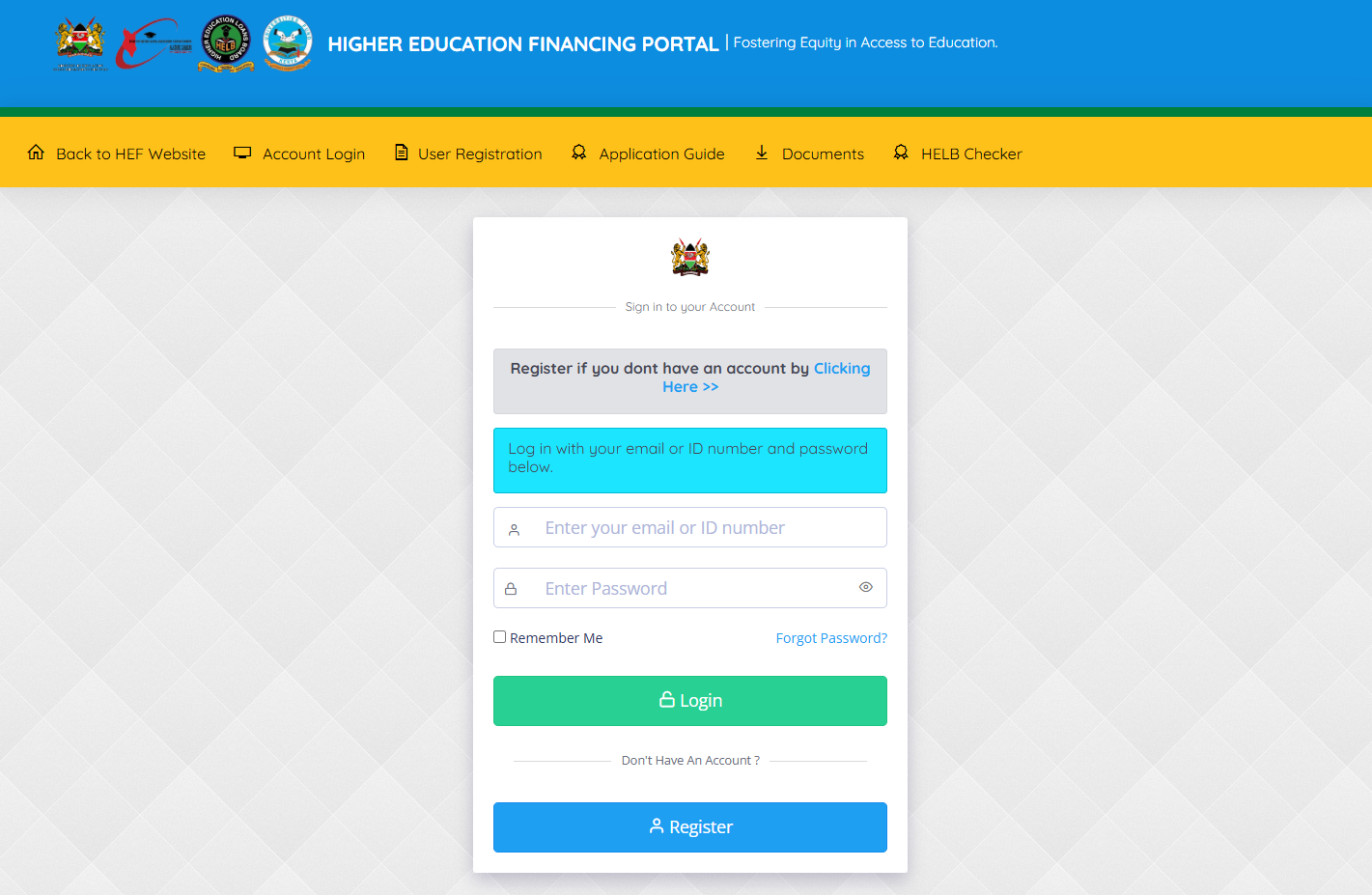
The first step in the process of How To Reset HEF Portal Password is to visit HEF Portal using https://portal.hef.co.ke
- Step 2: Click on Forgot Password
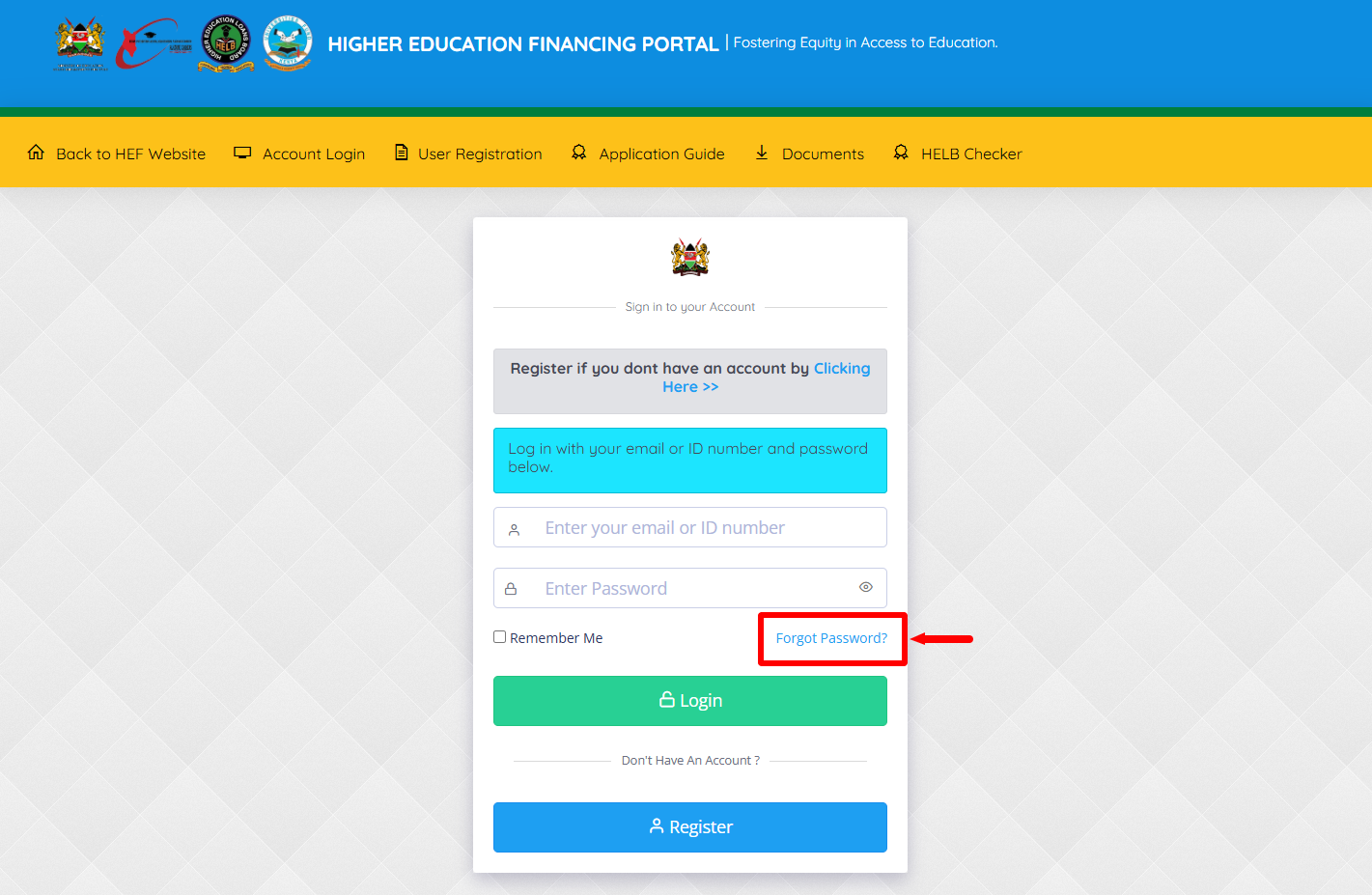
Once you are on HEF Portal, click on the “Forgot Password” link to start the process of resetting HEF Portal Password.
- Step 3: Select Option to Reset Password
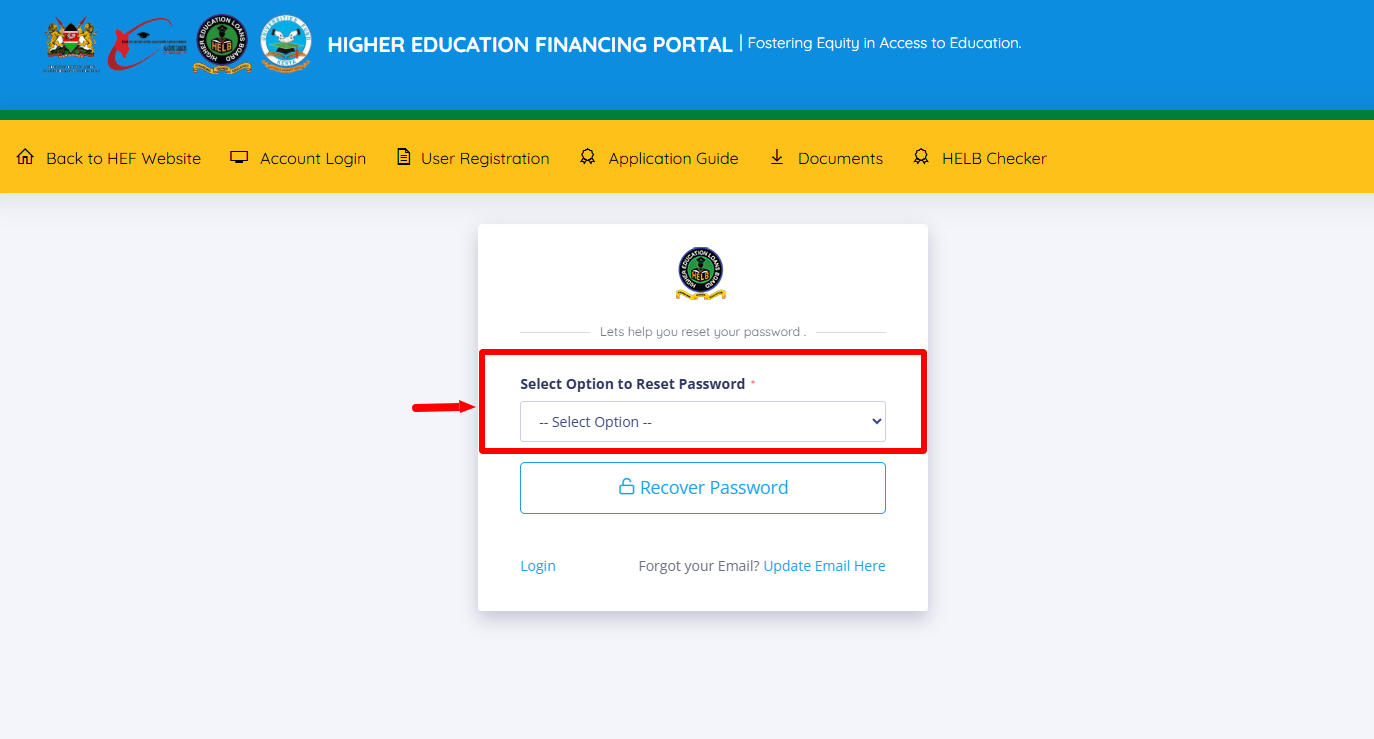
Next, you need to select the option of resetting HEF portal Password. There are two options – “By Email” or “By Phone” – then proceed to the next step.
- Step 4: Enter ID Number
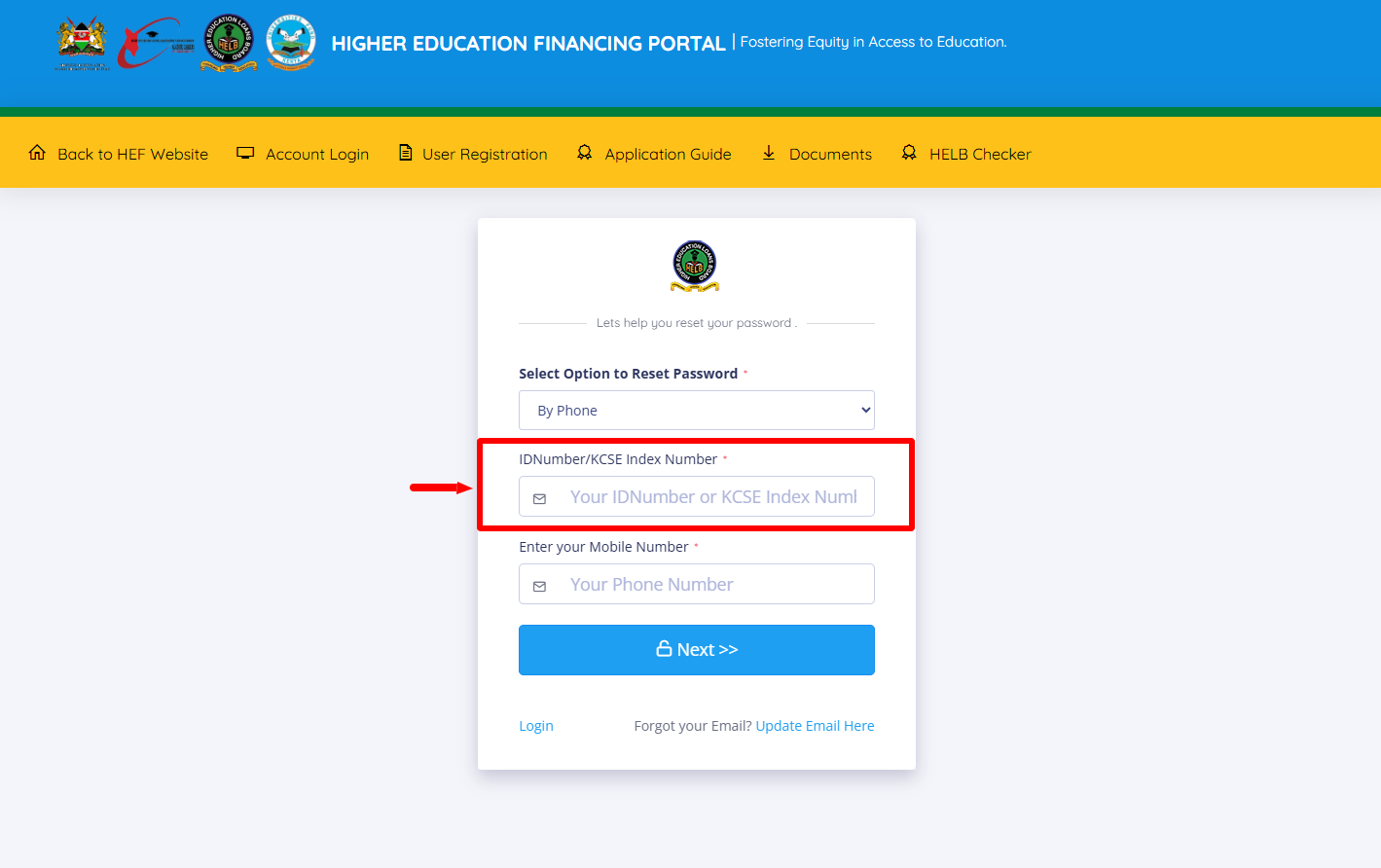
In this step, if you selected the By Phone option, you now need to enter “ID Number” registered on HEF Portal.
- Step 5: Enter Phone Number
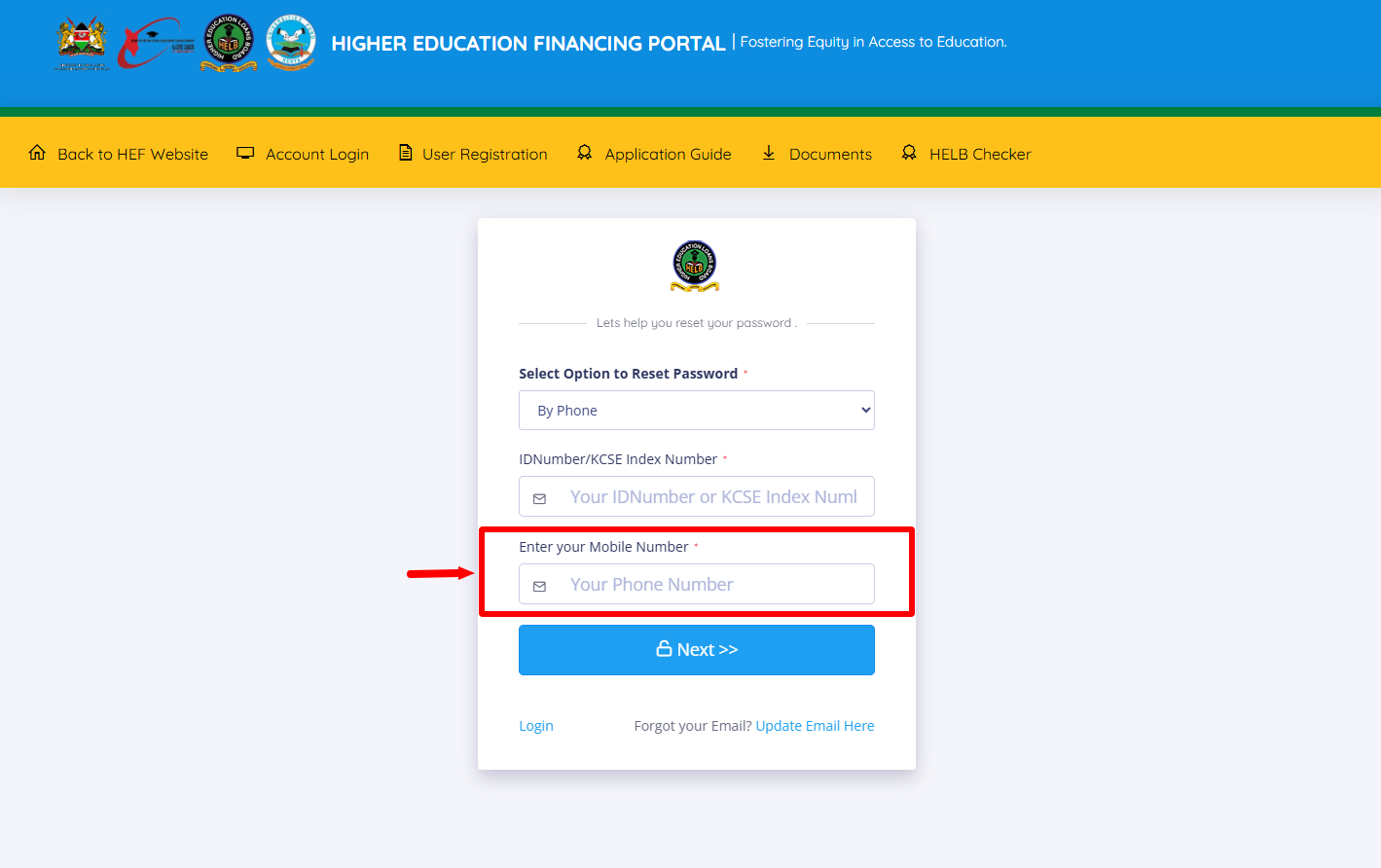
Proceed and enter the “Phone Number” linked to HEF Students Portal account and then click on the “Next” button.
- Step 6: Enter OTP (HELB Password Reset Code)
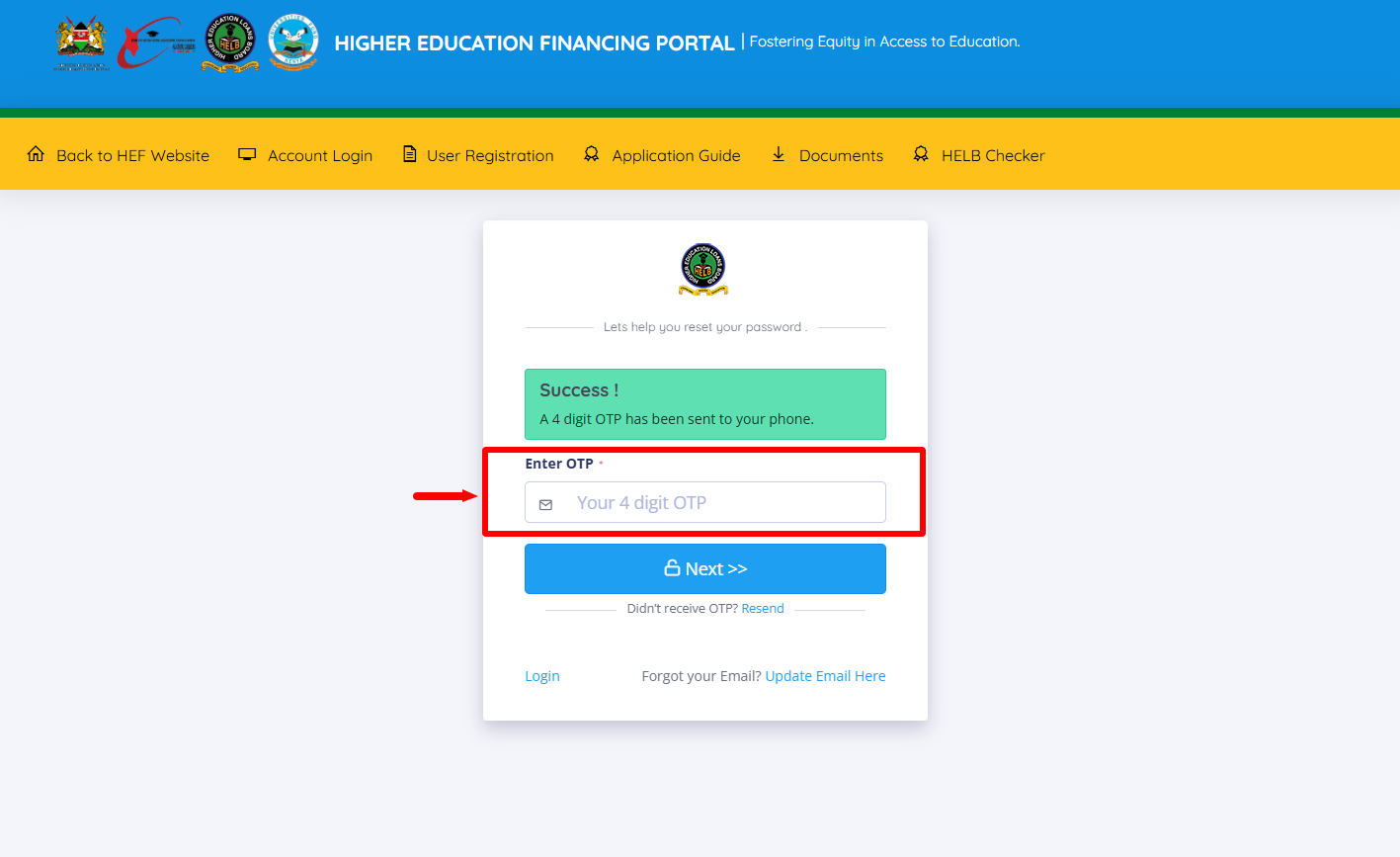
Once you reach this step, you will be required to enter the HELB Password Reset Code (OTP) that has been sent to your phone number via SMS from HELB.
- Step 7: Set New Password
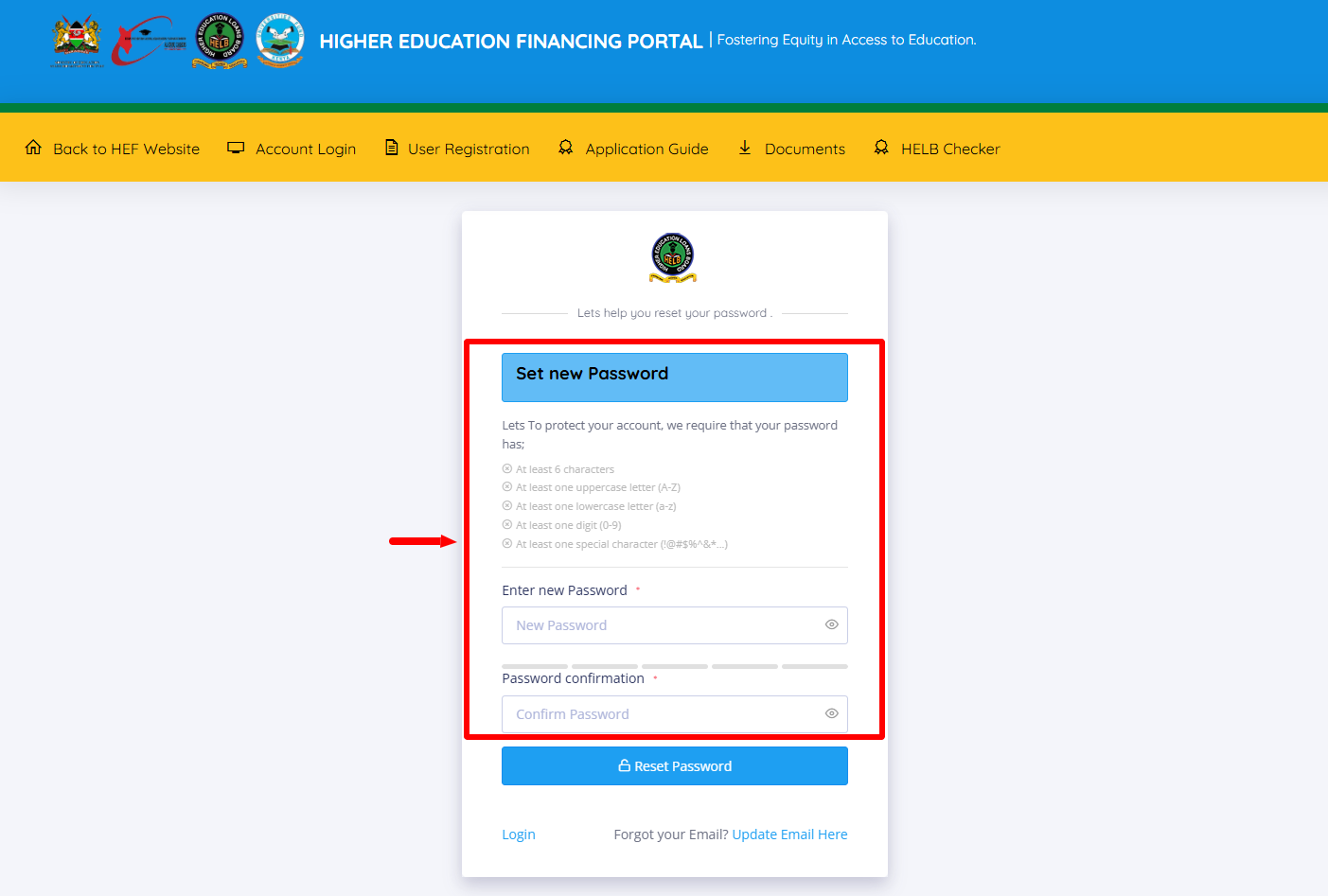
This is the most important step in the process of How To Reset HEF Portal Password online. You need to setup a new password for your HEF Portal account. Enter the new HEF Portal Password and confirm the same before proceeding to the next step.
- Step 8: Click Reset Password
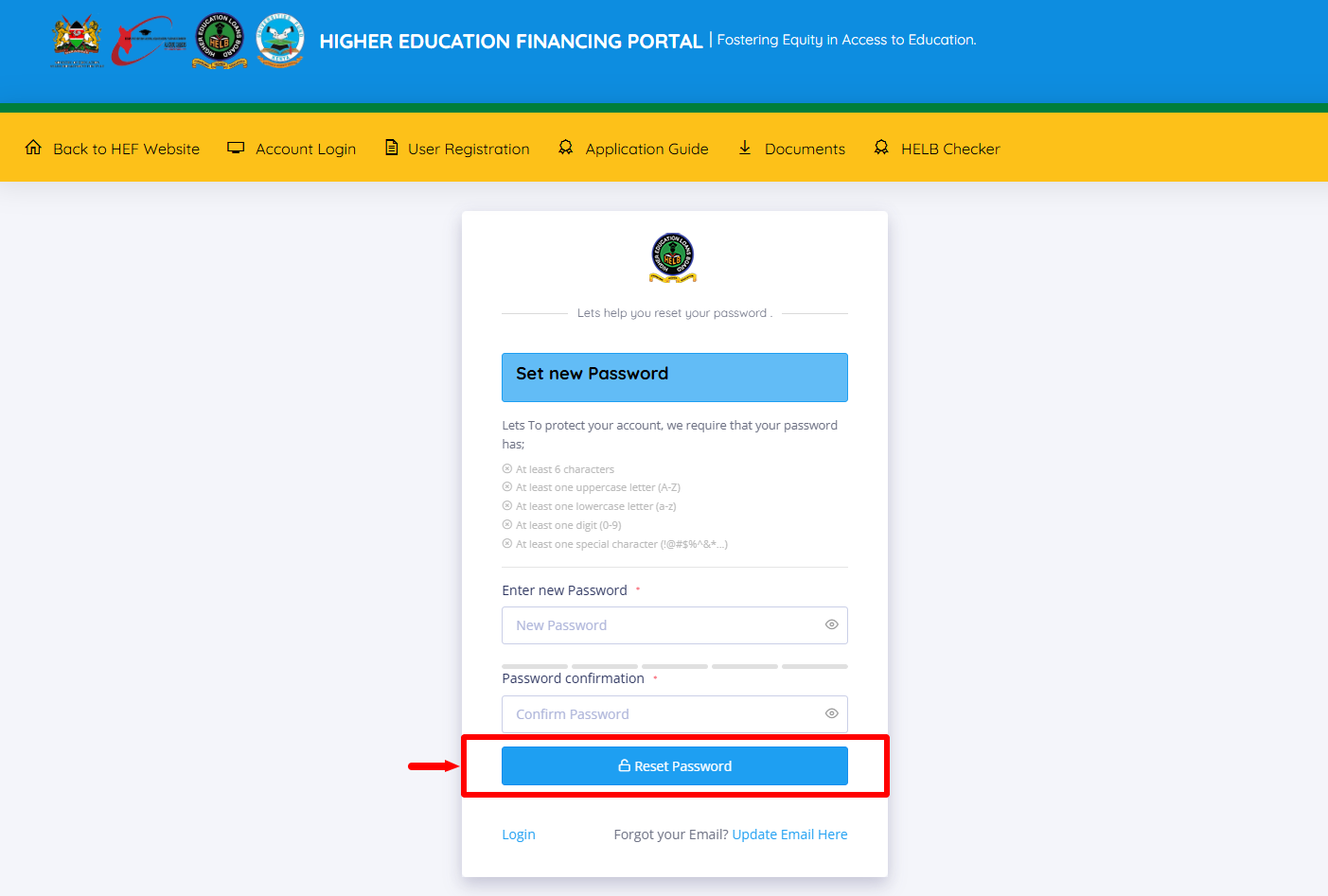
Once you have entered your new HEF Portal Password and have confirmed the same password, click on the “Reset Password” button to complete the HEF Portal Password Reset process.
- Step 9: HEF Portal Reset Successful
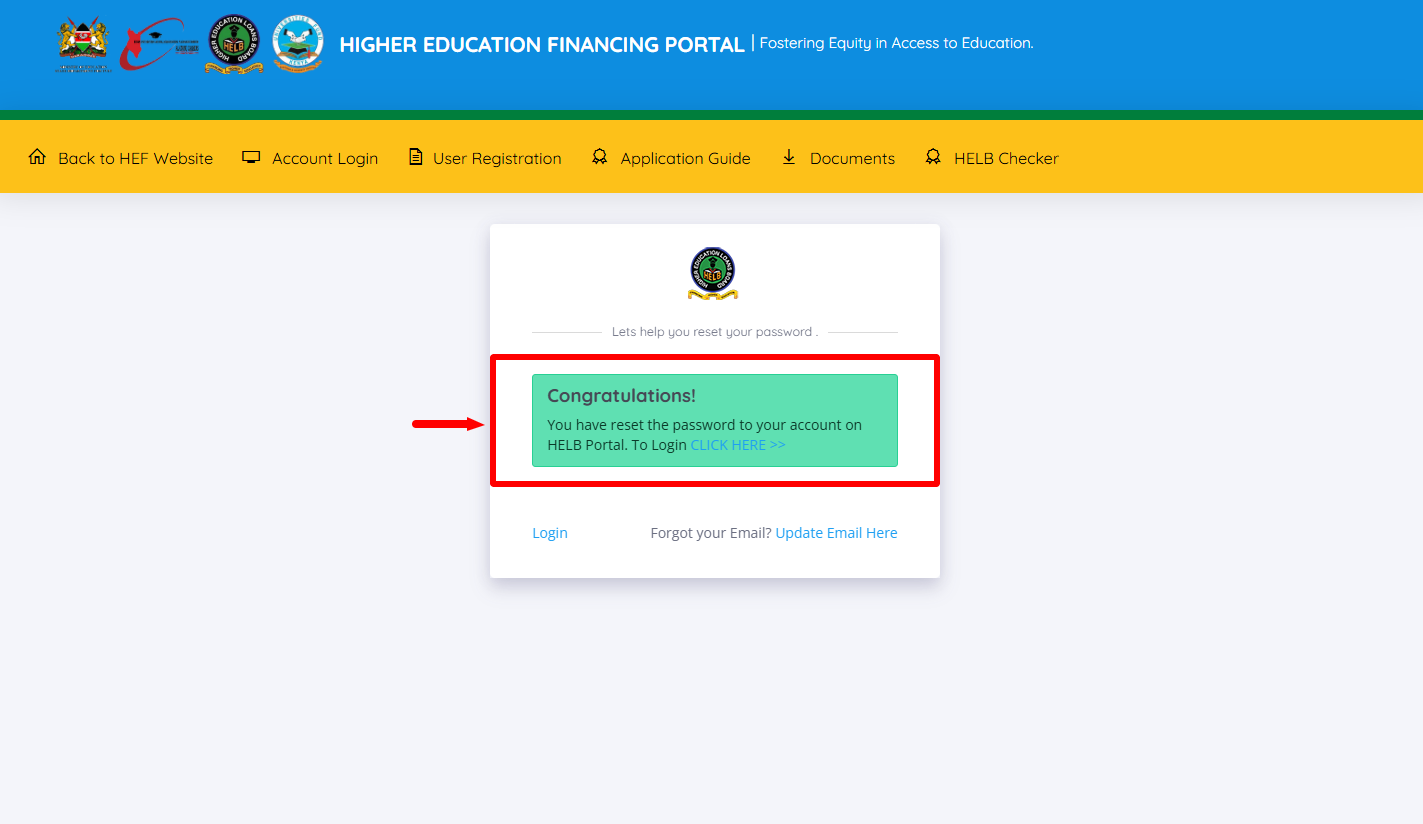
Lastly, once you have done everything correctly as outlined above, your HEF Portal Password Reset will be successful and you can now use the new HEF Password to log in to HEF Students Portal account.
Overview: HEF Portal Password Reset
To Reset your HEF Portal Password, start by visiting the HEF Portal and clicking on Forgot Password. Select the option to reset your password, then enter your ID Number and Phone Number linked to your HEF account. After entering the required details, proceed to the next step and enter the OTP (HELB Password Reset Code) sent to your phone for verification.
READ ALSO: How To Check HELB Loan Batch Number
Once the OTP has been successfully verified, set a New Password for your HEF Portal account. Enter and confirm the new password as required, then click Reset Password to complete the process. Your HEF Portal Password will be reset successfully, and you can use the new password to access your HEF Students Portal account.