The KUCCPS Students Portal is an online platform that allows students and applicants to access services provided by the Kenya Universities and Colleges Central Placement Service (KUCCPS). Students can use the portal to access their accounts and manage available placement-related services using their registered login details.
This guide explains How To Log In To KUCCPS Students Portal online using the official KUCCPS Students Portal. The login process involves visiting the KUCCPS website, accessing the Students Portal, entering your registered login details, and submitting the information to access your account. By following the steps below, you can successfully log in to the KUCCPS Students Portal.
READ ALSO: How To Verify Recruitment Agencies In Kenya
What is KUCCPS Students Portal?
The KUCCPS Students Portal is an online platform provided by the Kenya Universities and Colleges Central Placement Service (KUCCPS) for students and applicants seeking access to placement-related services. The portal allows users to access their personal accounts and perform various activities related to university and college placement in Kenya.
Through the KUCCPS Students Portal, students can access available placement services, view relevant information, and manage their applications using their registered account details. The portal provides an online platform where KUCCPS applicants can access services without having to visit a KUCCPS office in person.
What is KUCCPS Students Portal Login?
KUCCPS Students Portal Login refers to the process of accessing a registered student account through the Kenya Universities and Colleges Central Placement Service (KUCCPS) Students Portal. The login process allows students and applicants to verify their account credentials and access the placement services and information available through the portal.
The KUCCPS Students Portal Login is completed online using the login details associated with the student’s KUCCPS account. Once the required details have been entered and submitted successfully, the student can access their KUCCPS Students Portal account and continue with the available placement-related services.
Requirements Needed To Log In To KUCCPS Students Portal
To log in to the KUCCPS Students Portal, you need the login details associated with your KUCCPS student account. The KCSE Index Number and KCSE Year are used to identify your examination details, while the KUCCPS Password is required to authenticate your account and allow you to access the portal. The requirements needed to log in to KUCCPS Students Portal are:
- KCSE Index Number
- KCSE Year
- KUCCPS Password
Once you have your KCSE Index Number, KCSE Year, and KUCCPS Password ready, you can proceed to access your KUCCPS Students Portal account. The process involves visiting the KUCCPS Students Portal, entering your KCSE examination details and password, and submitting the login information for verification.
How To Log In To KUCCPS Students Portal
With your KCSE Index Number, KCSE Year, and KUCCPS Password ready, you can begin the KUCCPS Students Portal Login process online. The process involves accessing the official KUCCPS Students Portal, entering your KCSE examination details and password, and submitting the login information to access your student account. Follow the steps below to log in to KUCCPS Students Portal:
- Step 1: Visit KUCCPS website

The first step is to visit the official KUCCPS website using your preferred web browser. The KUCCPS website provides access to various placement services, including the Students Portal used by students and applicants.
- Step 2: Click Students Portal

Once the KUCCPS website opens, click Students Portal to access the online portal for students. This will take you to the section where you can access your KUCCPS student account and placement-related services.
- Step 3: Click Login
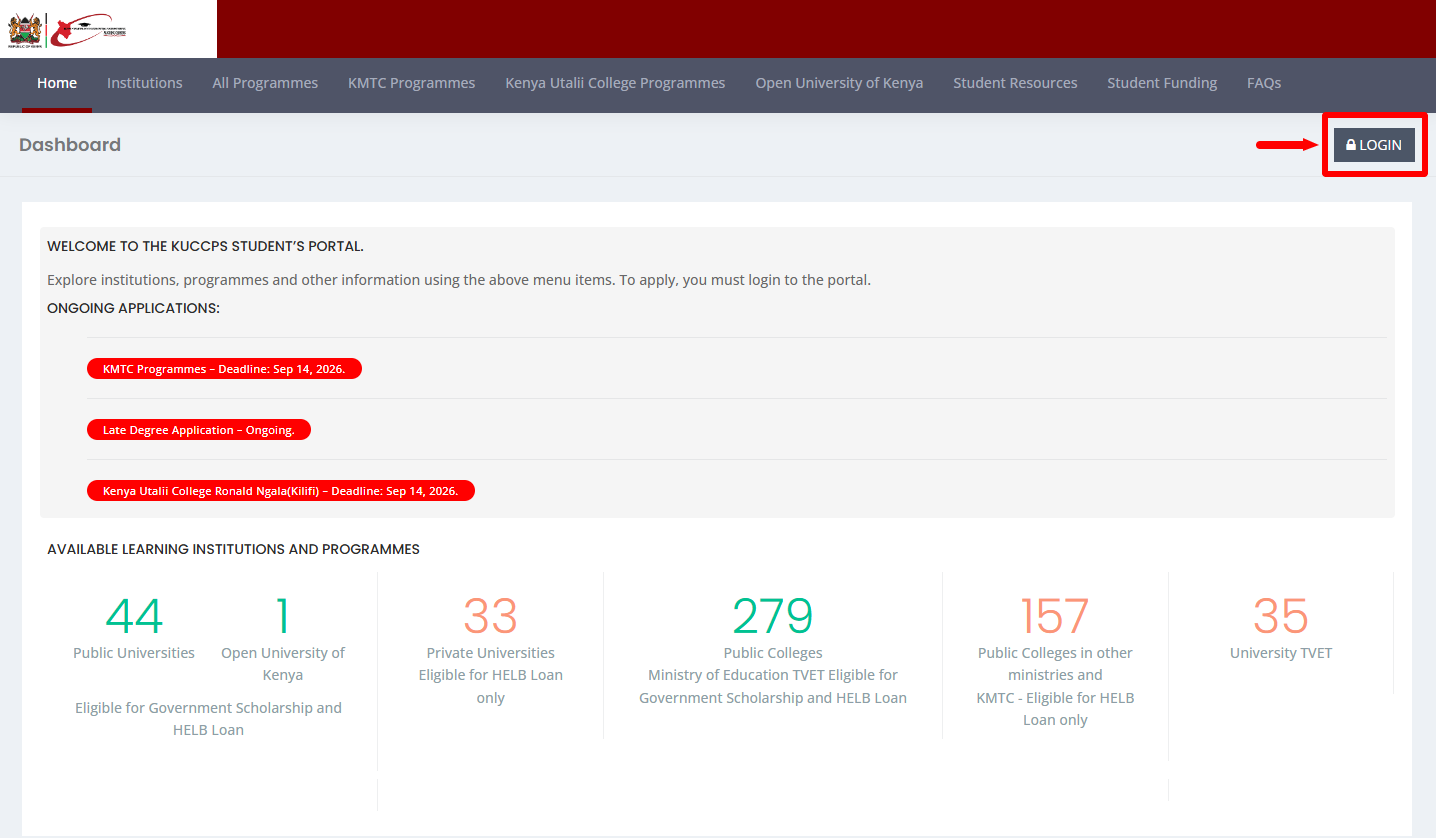
On the Students Portal page, click Login to open the KUCCPS student login section. The login page will provide the fields required to enter your KCSE examination details and KUCCPS password.
- Step 4: Enter KCSE Index Number
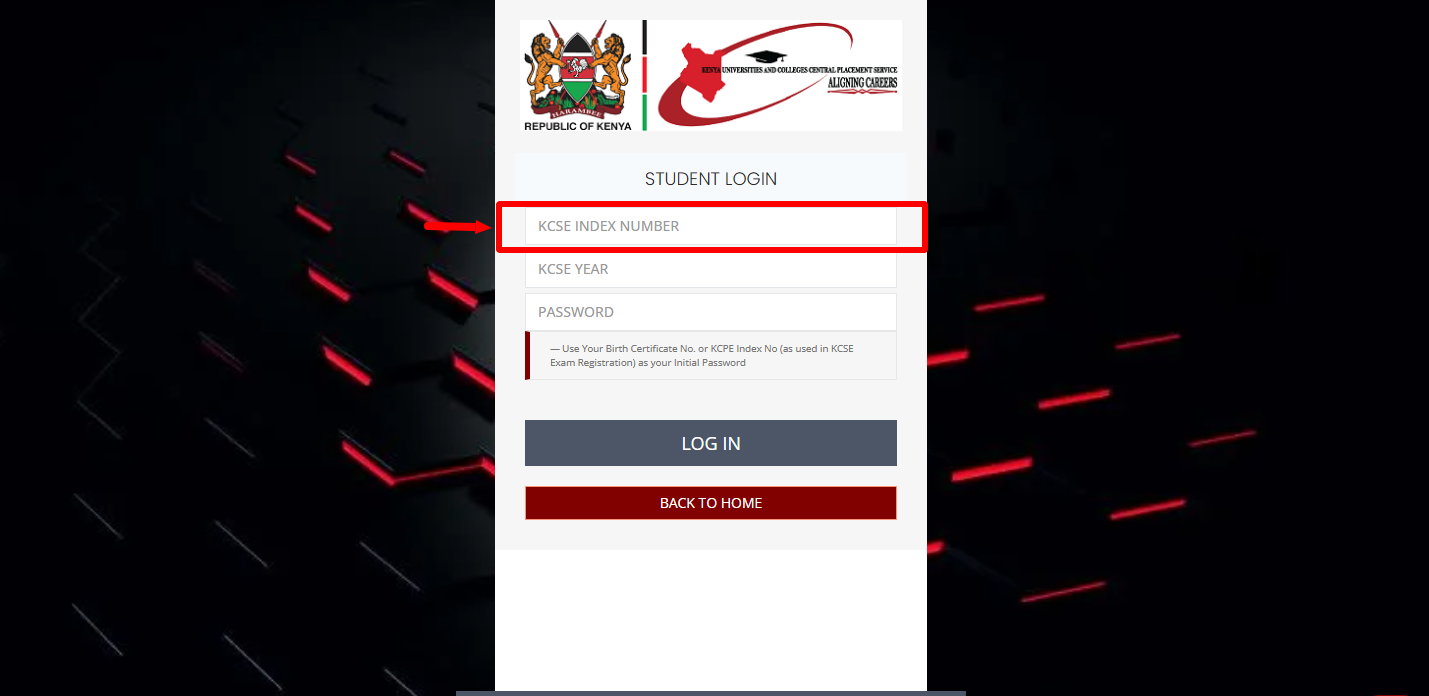
Enter your KCSE Index Number in the required field. Make sure that you enter the correct KCSE Index Number as used during your KCSE examination registration before proceeding to the next step.
- Step 5: Enter KCSE Year
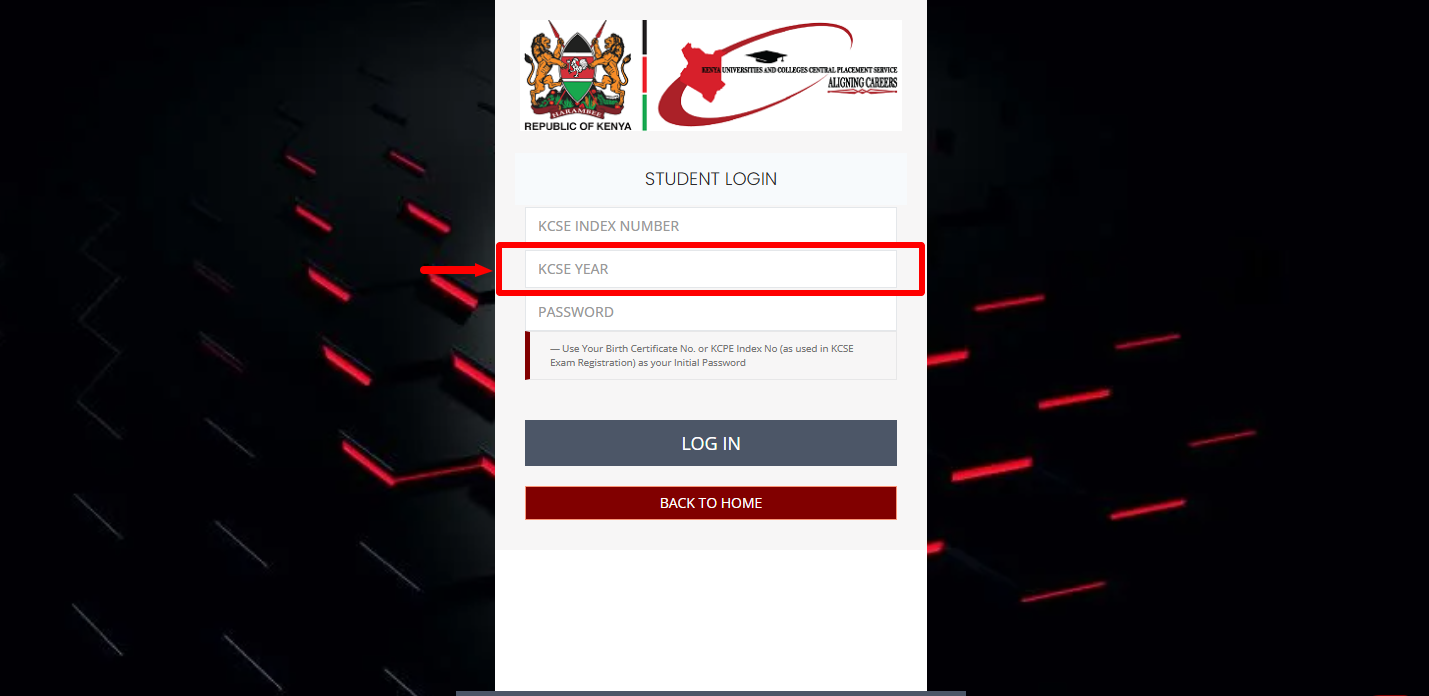
Next, enter your KCSE Year in the required field. Select or enter the year in which you sat for your KCSE examination, ensuring that the information matches your KCSE examination records.
- Step 6: Enter KUCCPS Password
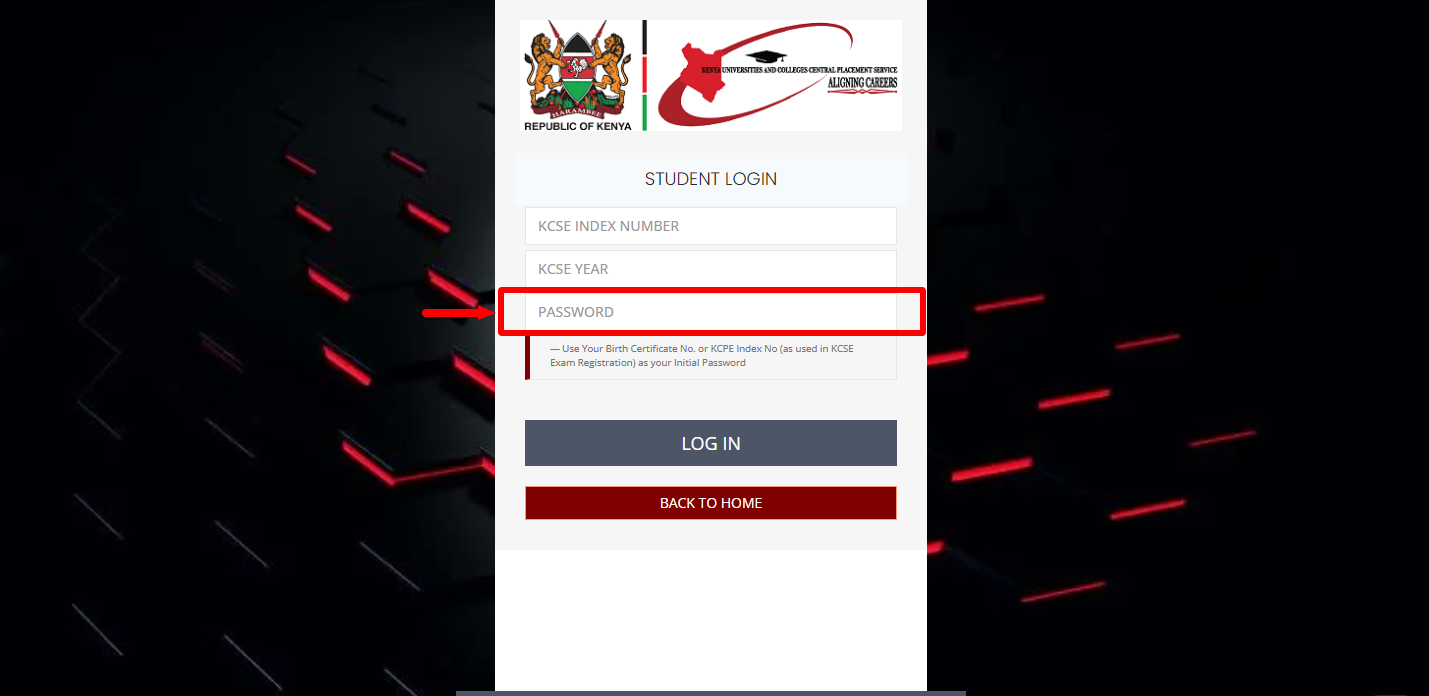
Enter your KUCCPS Password in the password field to continue with the login process. If you are logging in for the first time, use your Birth Certificate No. or KCPE Index No. (as used in KCSE Exam Registration) as your initial password.
- Step 7: Click Login
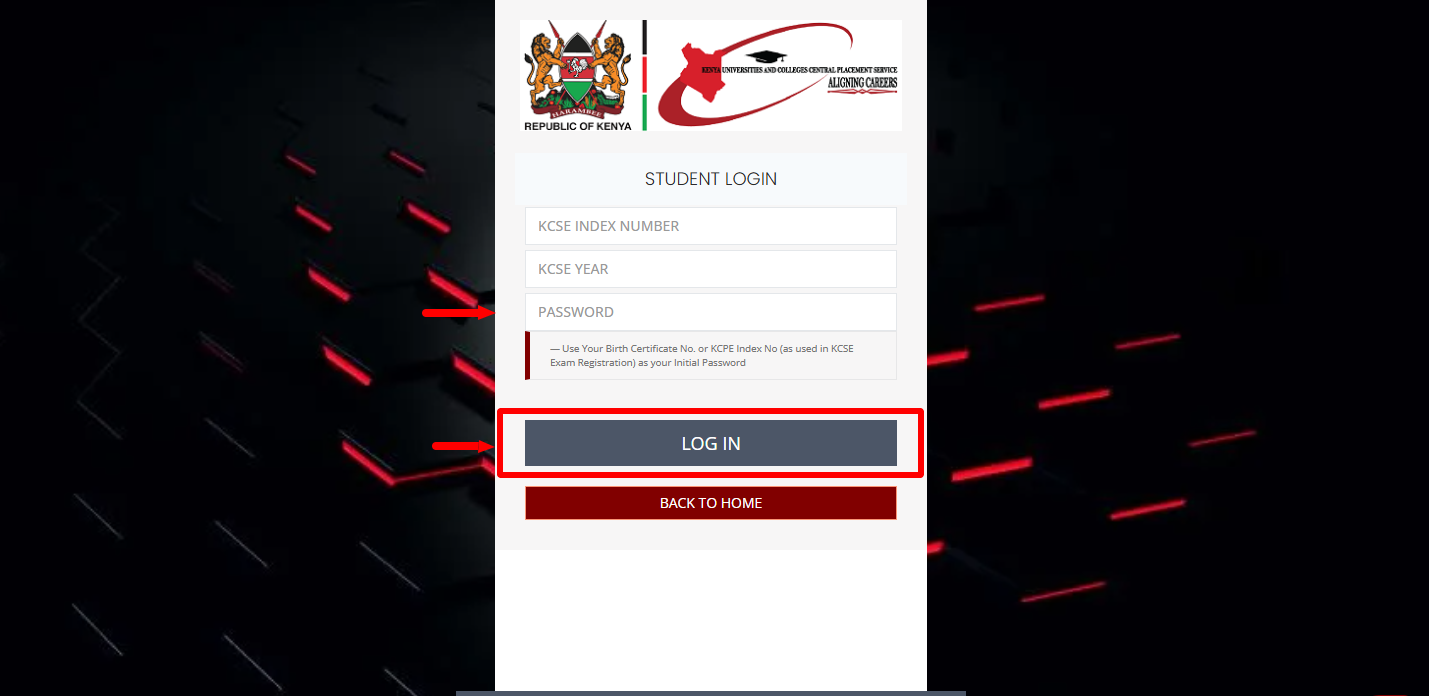
After entering your KCSE Index Number, KCSE Year, and KUCCPS Password, check that all the details are correct and click Login. The system will verify the login information and, if the details are correct, allow you to access your KUCCPS student account.
- Step 8: KUCCPS Students Portal Dashboard
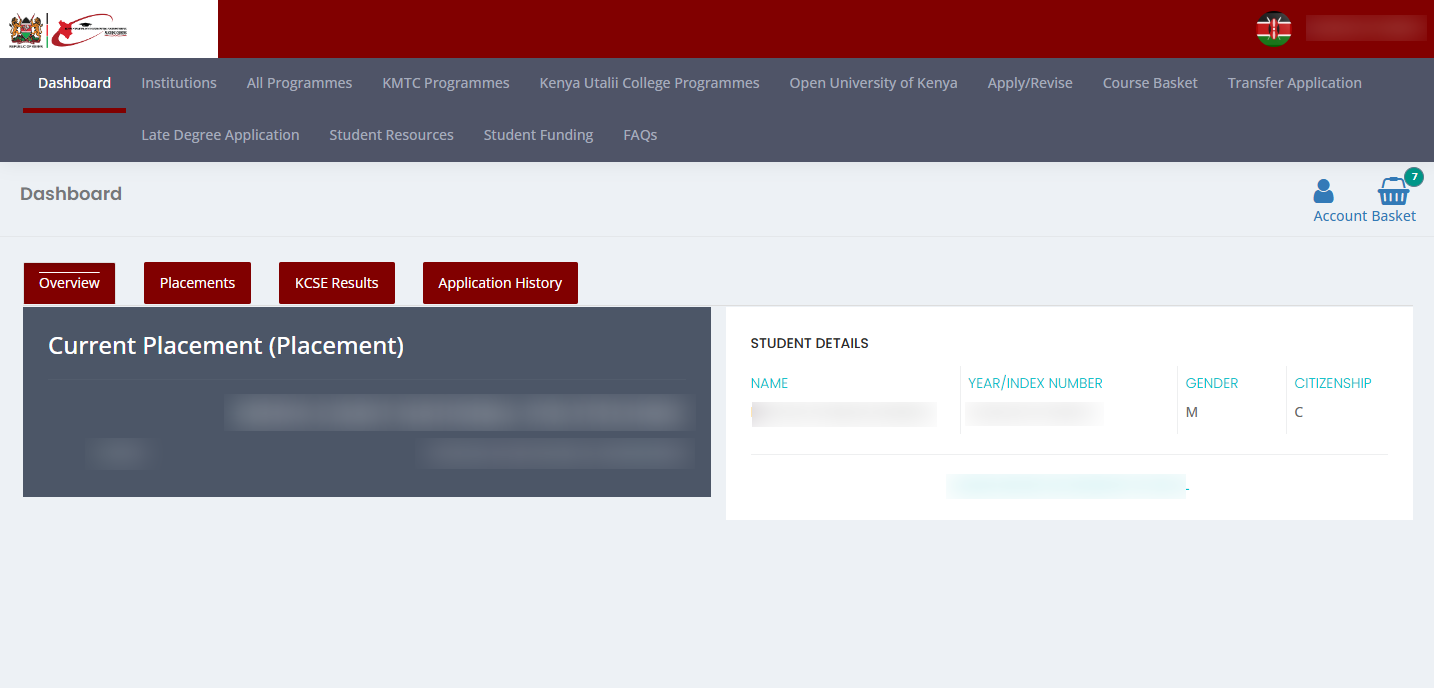
After a successful login, the KUCCPS Students Portal Dashboard will be displayed. From the dashboard, you can access the available KUCCPS student services and placement-related information associated with your account.
Overview: KUCCPS Students Portal Login
To begin, visit the official KUCCPS website using your preferred web browser and click Students Portal to access the student services. Next, click Login to open the KUCCPS Students Portal login page. Enter your KCSE Index Number and KCSE Year in the required fields, then proceed to the password section. Enter your KUCCPS Password to continue.
READ ALSO: How To Check NSSF Number
If you are logging in for the first time, use your Birth Certificate No. or KCPE Index No. (as used in KCSE Exam Registration) as your initial password.After entering your KCSE Index Number, KCSE Year, and KUCCPS Password, click Login to submit your details for verification. If the login information is correct, you will successfully access the KUCCPS Students Portal Dashboard, where you can access the available KUCCPS student services and placement-related information.