
The P3 Form is a medical examination form used in Kenya to document injuries or other physical harm reported in connection with a police case. It is completed by a medical practitioner and forms part of the documentation used when a person seeks medical examination following an incident that has been reported to the authorities.
This guide explains how to download the P3 Form online and obtain the form for use in the relevant process. It covers where to access the form, how to download it, and the steps to follow so that you can have the required document ready for completion.
READ ALSO: How To Check IEBC Voter Registration Status
What is P3 Form?
The P3 Form is a medical examination form used in Kenya to record the findings of a medical examination conducted on a person who has reported an incident involving physical injury or harm. The form provides a structured record of the injuries observed and the medical assessment carried out by a qualified medical practitioner.
The P3 Form is commonly associated with police cases involving injuries, as it helps document the medical evidence arising from an incident. After the relevant sections are completed by the appropriate authorities and medical practitioner, the form can be used as part of the documentation required in the case.
What is P3 Form Download?
P3 Form Download refers to the process of dowloading a copy of the P3 medical examination form (P3 Form) for use in documenting injuries or physical harm related to a reported incident. The form can be downloaded and printed so that the relevant sections can be completed by the appropriate authorities and a qualified medical practitioner.
Downloading the P3 Form provides a convenient way to obtain the document without having to look for a physical copy first. Once downloaded, the form should be completed as required and submitted to the relevant authorities or medical facility according to the applicable procedure.
Requirements Needed To Download P3 Form
To download the P3 Form from the National Police Service website, you need access to a device with an internet connection and a web browser. You should also be able to access the official National Police Service website where the form is provided for download. The requirements needed to download the P3 Form are:
- Internet connection
- Smartphone, tablet or computer
- Web browser
- Access to the National Police Service website
- Ability to download and print the P3 Form
Once you have a device, internet connection, web browser, and access to the official National Police Service website, you can proceed to download the P3 Form online. The process involves visiting the website, locating the P3 Form, and downloading the document to your device and printing a copy of the P3 Form.
How To Download P3 Form
With the required device and internet connection ready, you can proceed to access the official National Police Service website and locate the P3 Form. The process involves finding the form on the website, opening the relevant download option, and saving the document to your device. Follow the steps below to download the P3 Form:
- Step 1: Visit the National Police Service website
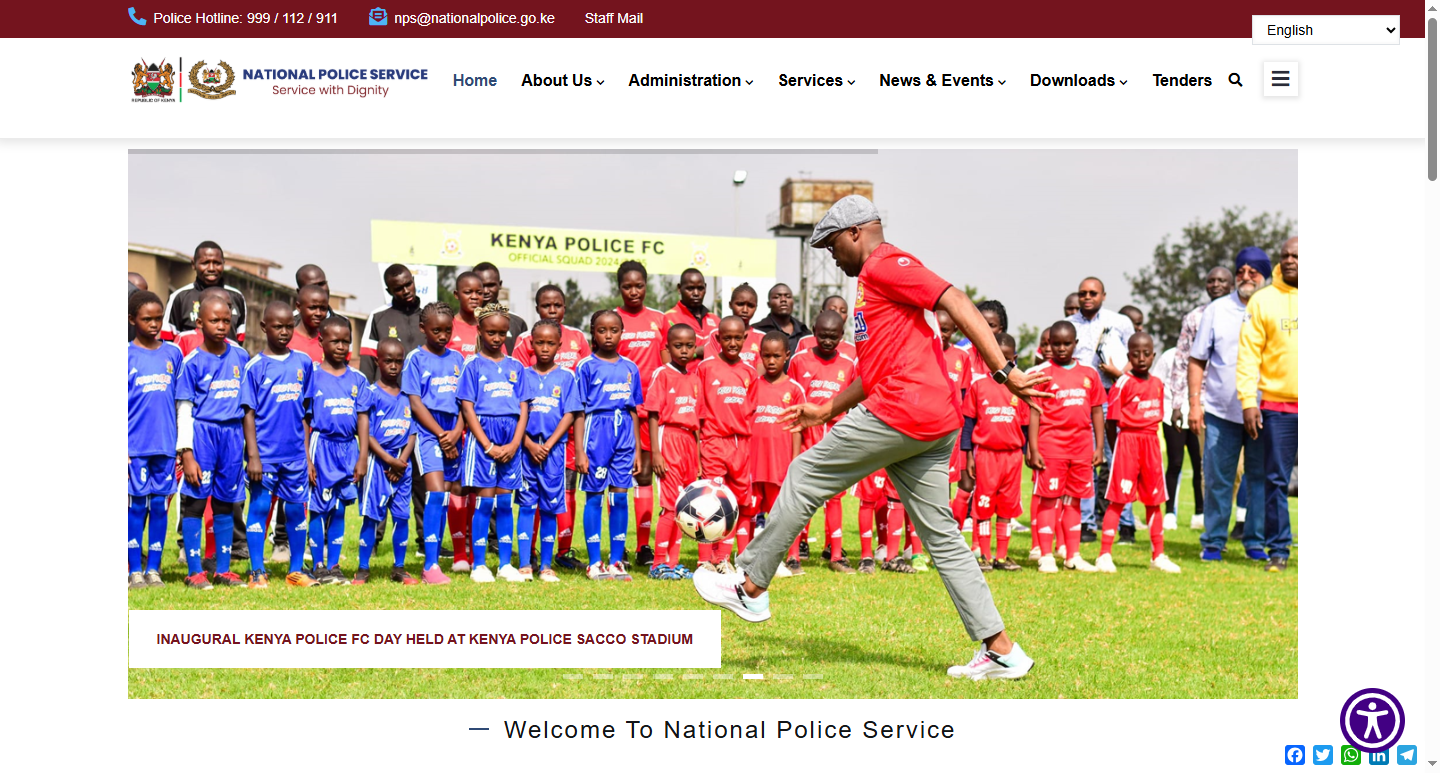
The first step in the process of downloading P3 Form is to visit the National Police Service website using https://nationalpolice.go.ke
- Step 2: Click on Downloads
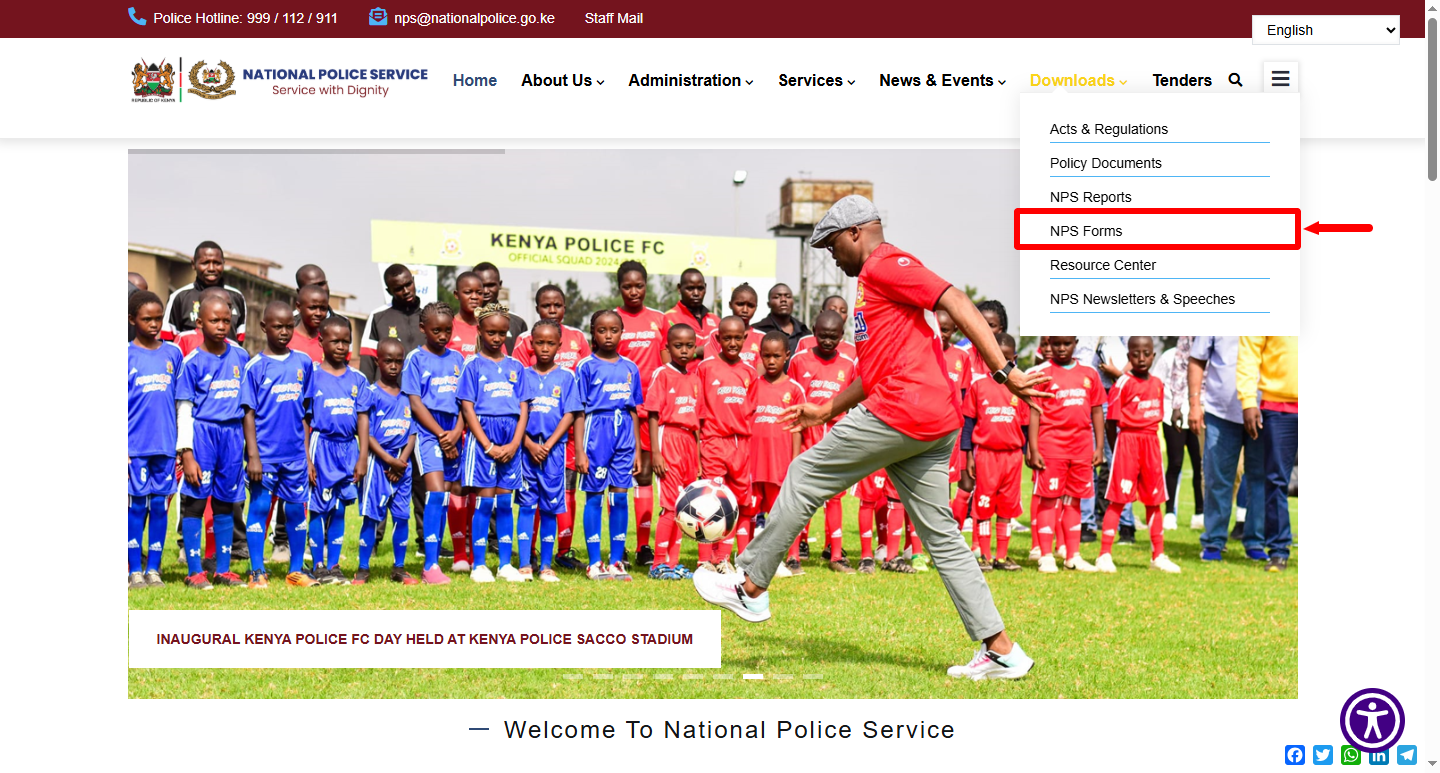
Once you are on the National Police Service website, on the “Downloads” section, click on “NPS Forms” to start the process of P3 Form download.
- Step 3: Select P3 Form
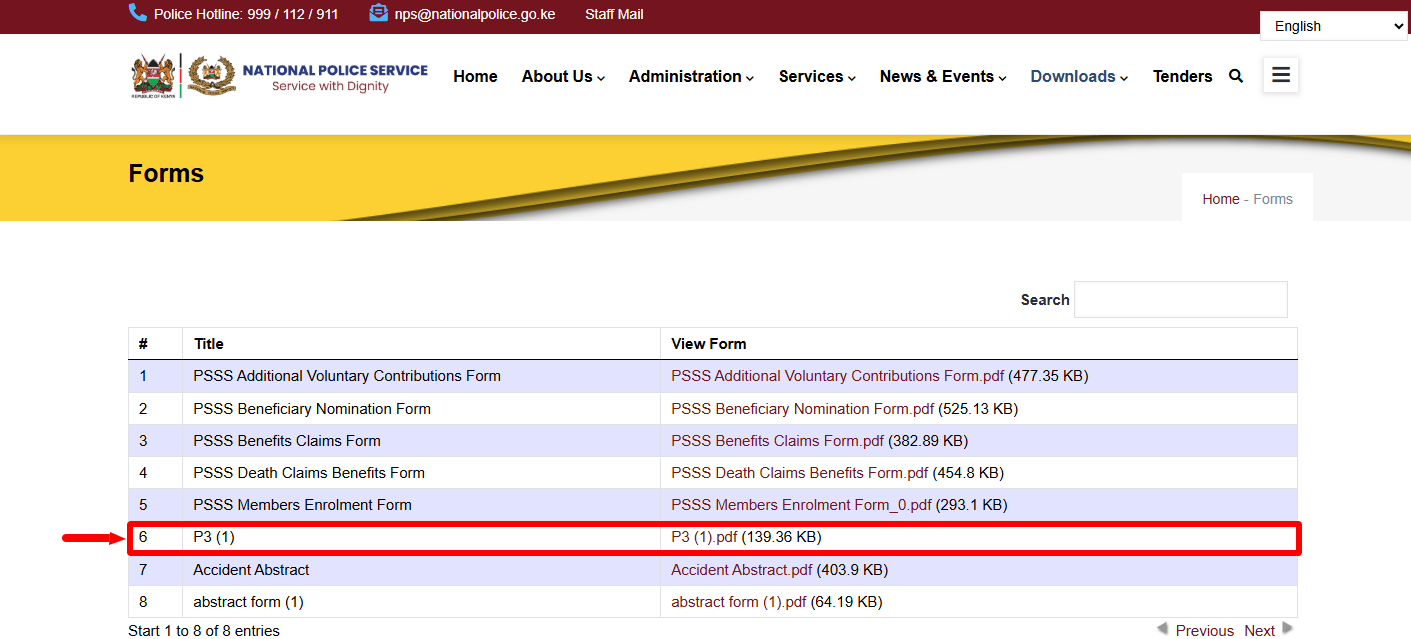
Once you are on the NPS Forms section, you will a list of forms that you can download from the National Police website. In this tutorial, you need to select “P3 Form” as it is the one you need to download online.
- Step 4: Download P3 Form
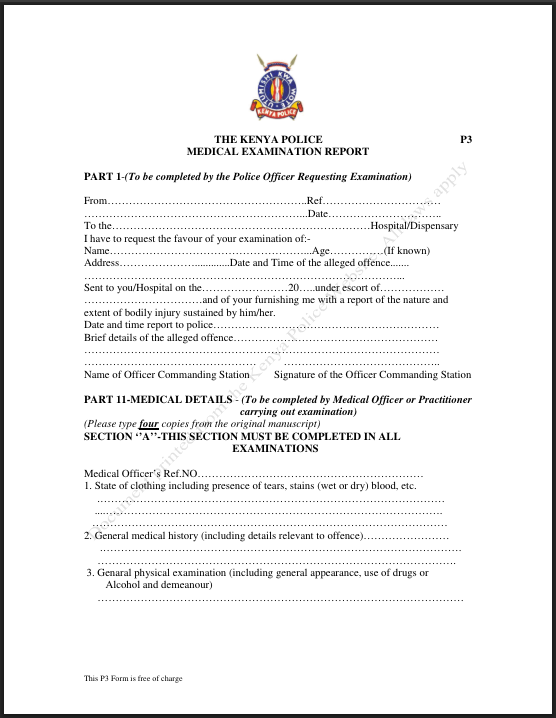
Lastly, once you click on the P3 Form link, this will open the P3 Form PDF and you can now download and print a copy of the P3 Form. This will mark the successful downloading of the P3 Form online using the National Police Service website. You can easily download the P3 Form using this links below:
- National Police Service website – P3 Form Download (PDF)
- National Police Service Commission website – P3 Form Download (PDF)
Kindly take note that the P3 Form (Medical Examination Report) has 4 pages that you need to print out.
Overview: P3 Form Download
To start the process of download P3 Form PDF online, visit the National Police Service website and open the Downloads section. From the downloads section, you need to select NPS Forms because thats where the P3 Form is located. Once you find the P3 form, click on the link to download and save the document to your device.
READ ALSO: How To Book SGR Ticket
After the P3 Form download process is complete, open the saved P3 Form to confirm that the document has downloaded correctly and is ready for printing. You can then print the downloaded P3 form PDF (4 pages) and proceed with having the relevant sections completed by the appropriate authorities and medical practitioner.