If you have submitted a HELB loan application and are waiting to know whether it has been processed, checking your loan status can help you see the latest information available on your application. Your status may change as the application moves through different stages of assessment, approval, and disbursement.
This guide shows you how to check your HELB loan status online and where to find the relevant application information in your account. We also explain what to look for when viewing your status so you can understand where your loan application currently stands.
READ ALSO: How To Download HELB Compliance Certificate
What is HELB Loan Status?
HELB Loan Status refers to the current status of a loan application or loan disbursement with the Higher Education Loans Board (HELB). It allows applicants and beneficiaries to check whether their HELB loan has been approved, disbursed, or is still being processed.
Checking your HELB loan status can help you determine whether the funds have already been disbursed or whether your loan application is still undergoing processing. The status information can be accessed through the HEF Students Portal using your account details.
What is HELB Loan Status Check?
HELB Loan Status Check is the process of checking the current status of your HELB loan application or disbursement. It allows students and loan beneficiaries to determine whether their loan has been approved and disbursed or is still being processed by the Higher Education Loans Board.
By checking your HELB loan status, you can view the latest information available about your loan and determine whether the funds have been released. This can help you know the progress of your loan without having to visit a HELB office.
Requirements Needed To Check HELB Loan Status?
Before checking your HELB Loan Status, make sure you have the information required to access your loan account and view the latest details about your application. Having these two requirements ready will help you check the status smoothly and avoid interruptions during the process. The two requirements needed to check your HELB Loan Status are:
- ID Number
- HEF Portal Password
After applying for a HELB loan, one of the most important things to monitor is the progress of your application. The loan status can provide information about where your application currently stands as it moves through the relevant processing stages. Checking it regularly can help you stay informed about changes to your application instead of relying on outdated information.
How To Check HELB Loan Status
With your HELB account details ready, you can access your loan records and view the latest status of your application. The status section provides information about the current stage of your loan, allowing you to determine whether there have been any updates to its processing. Follow the steps below to check your HELB Loan Status:
- Step 1: Visit HEF Portal
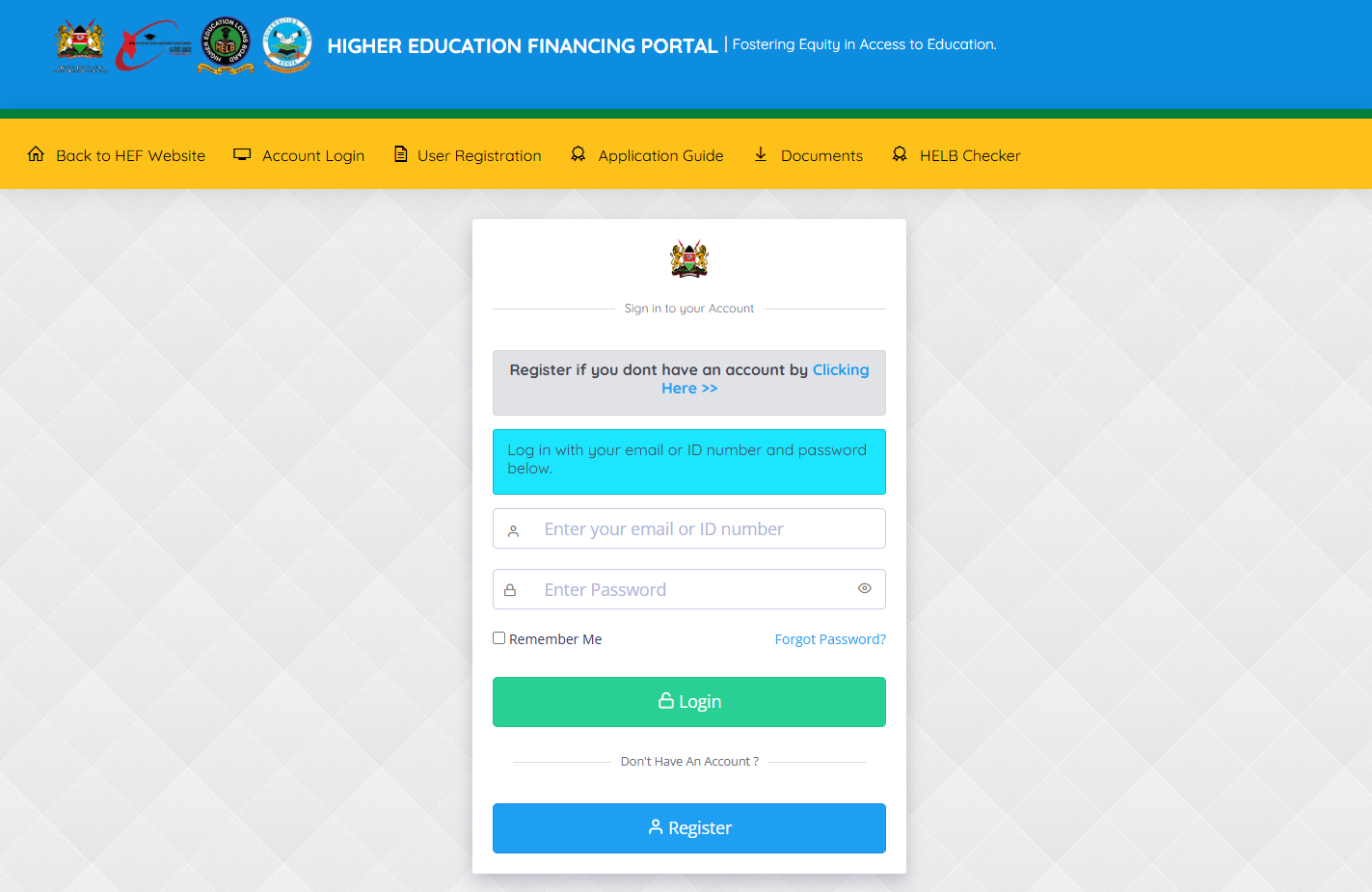
The first step in the process of checking HELB Loan Status online is to visit HEF Portal using https://portal.hef.co.ke/
- Step 2: Enter Email Address or ID Number
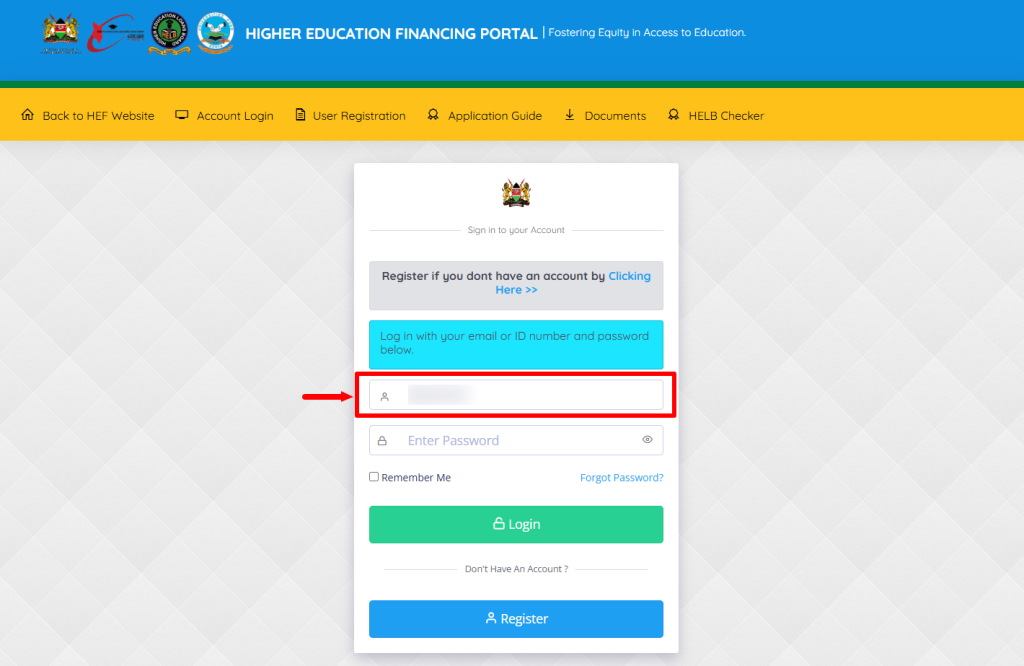
Next, enter the email address or ID number registered on HEF Portal and proceed to the next step.
- Step 3: Enter HEF Account Password
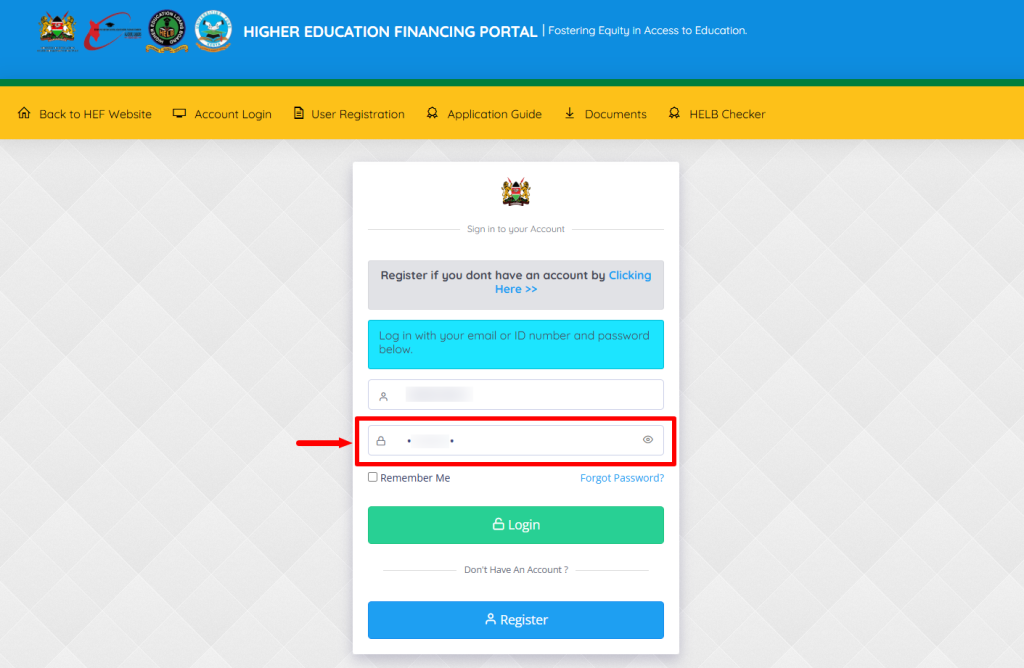
In this step, you need to enter the HEF Portal account password.
- Step 4: Click on Login
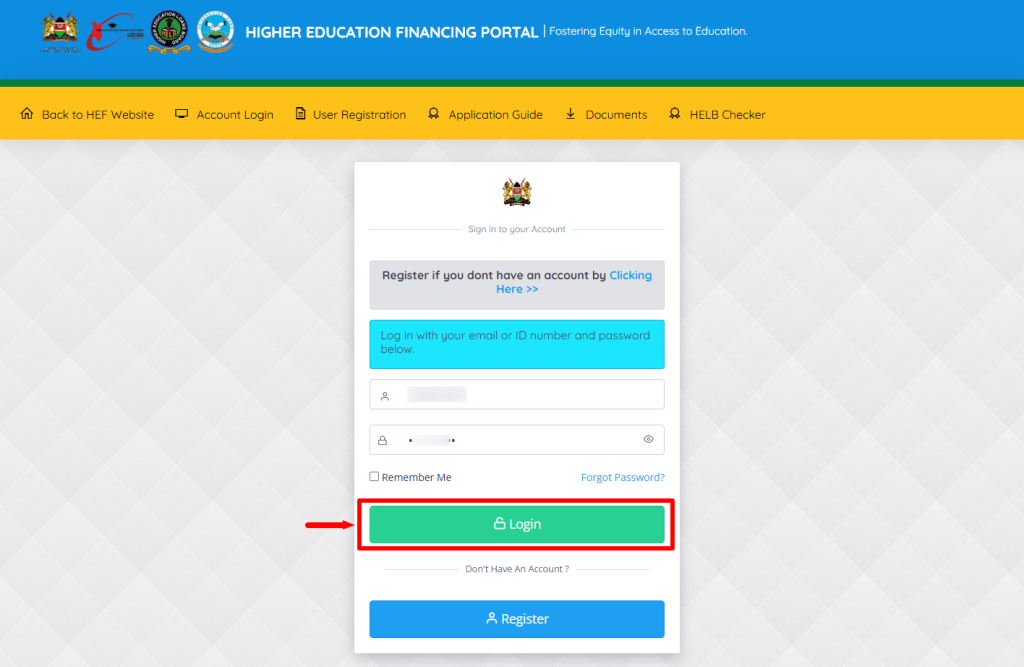
After you have entered the HEF Portal account email address or ID number and also the password, click on the “Login” button.
- Step 5: HEF Students Portal Dashboard
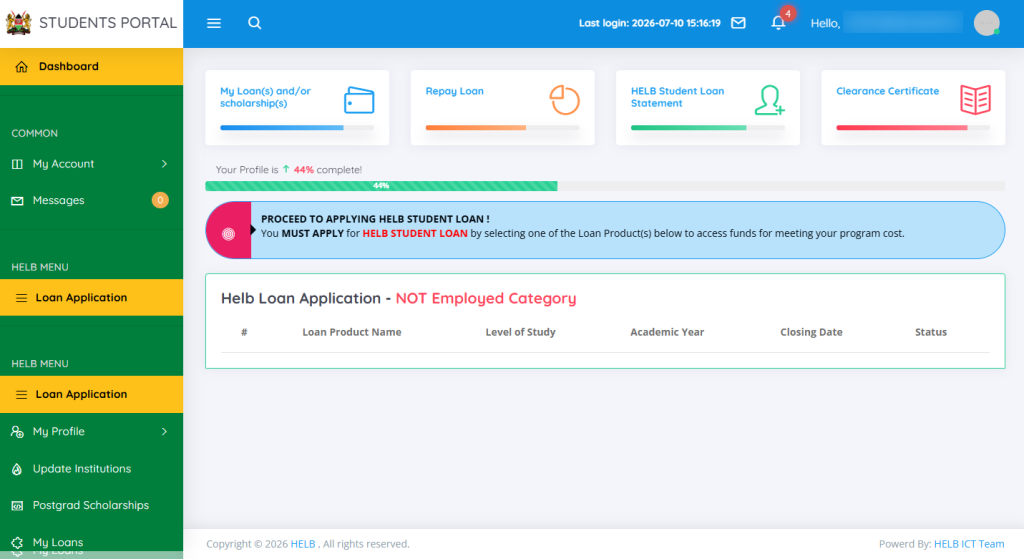
Once logged into HEF Portal Students Dashboard, you can now start the process of checking HELB Loan Status online.
- Step 6: Click on My Loans
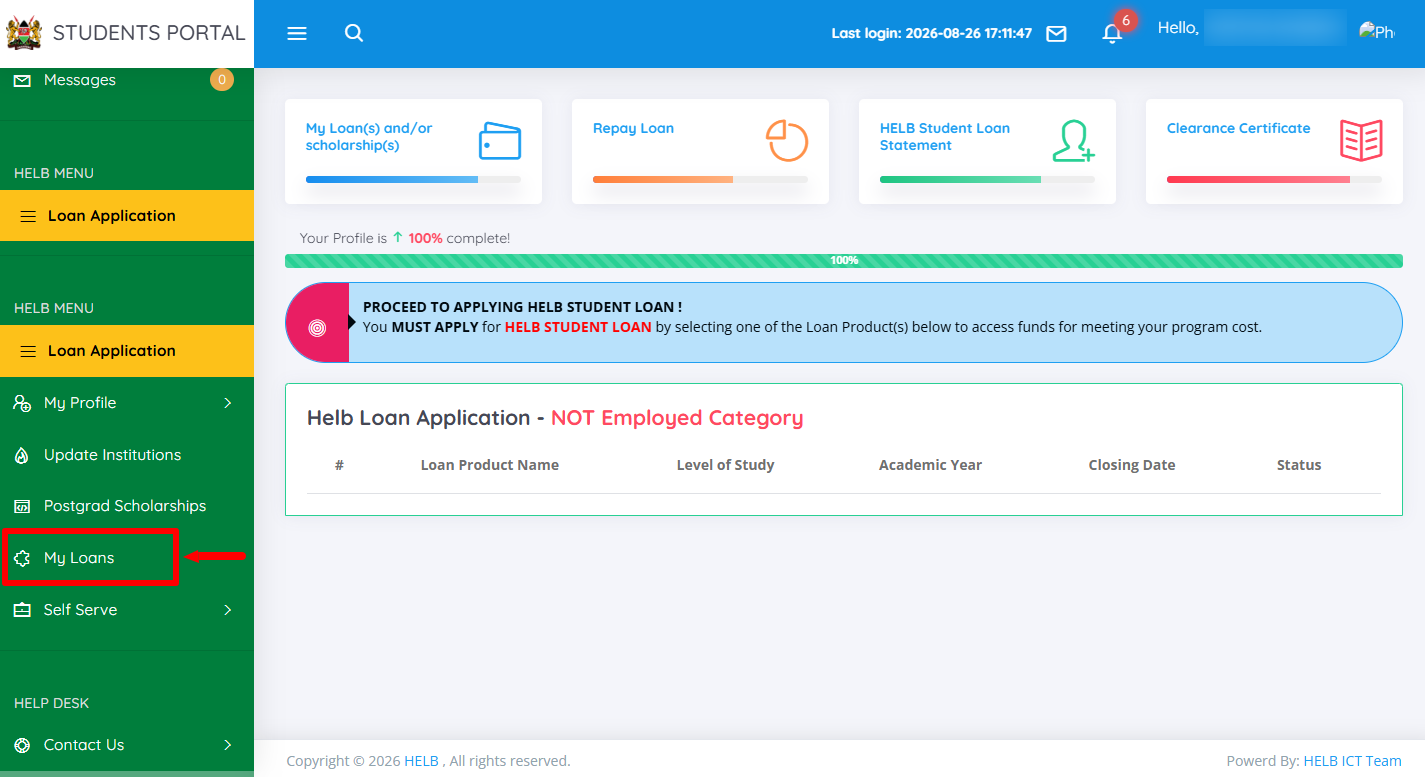
Next, proceed and click on “My Loans” menu.
- Step 7: View Details
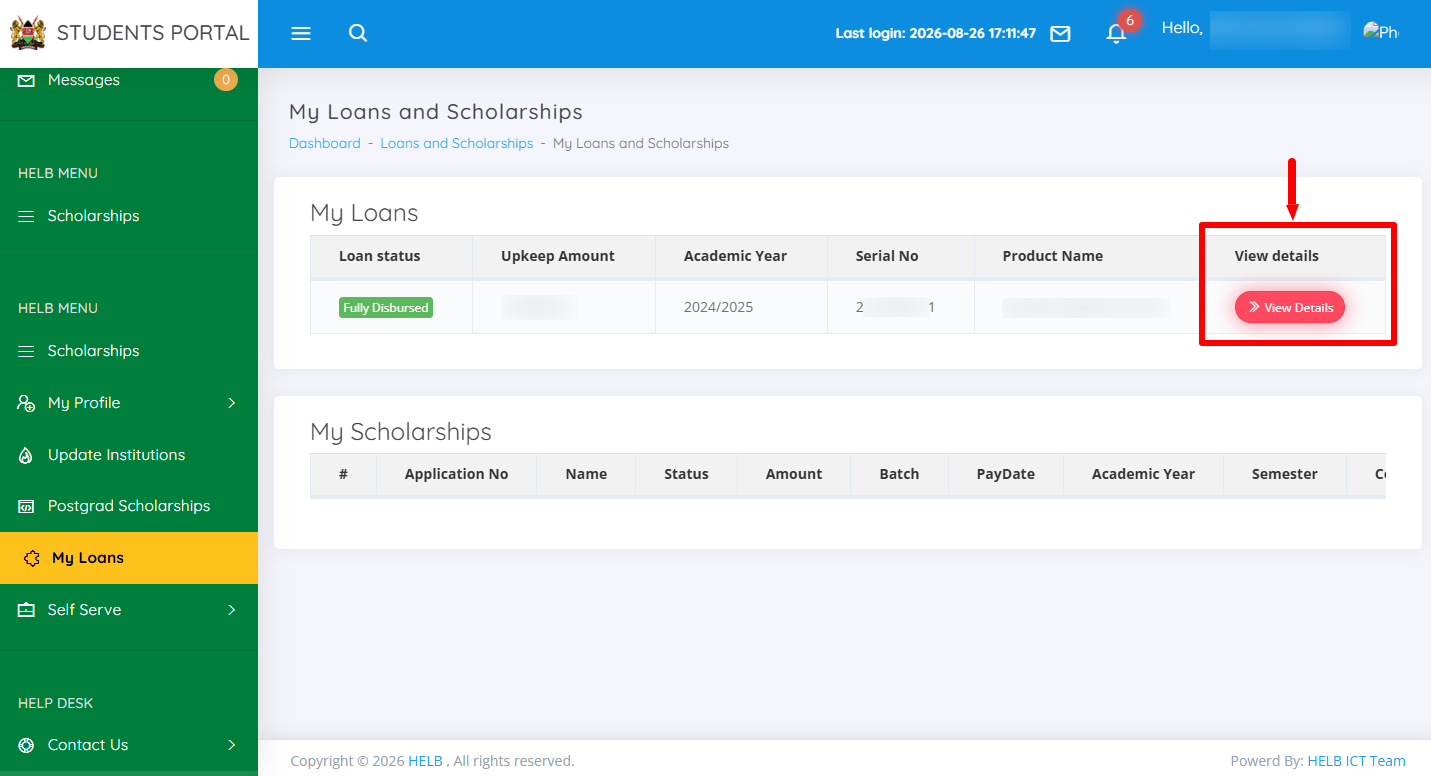
In this step, click on “View Details” to open the loan status.
- Step 8: HELB Loan Status
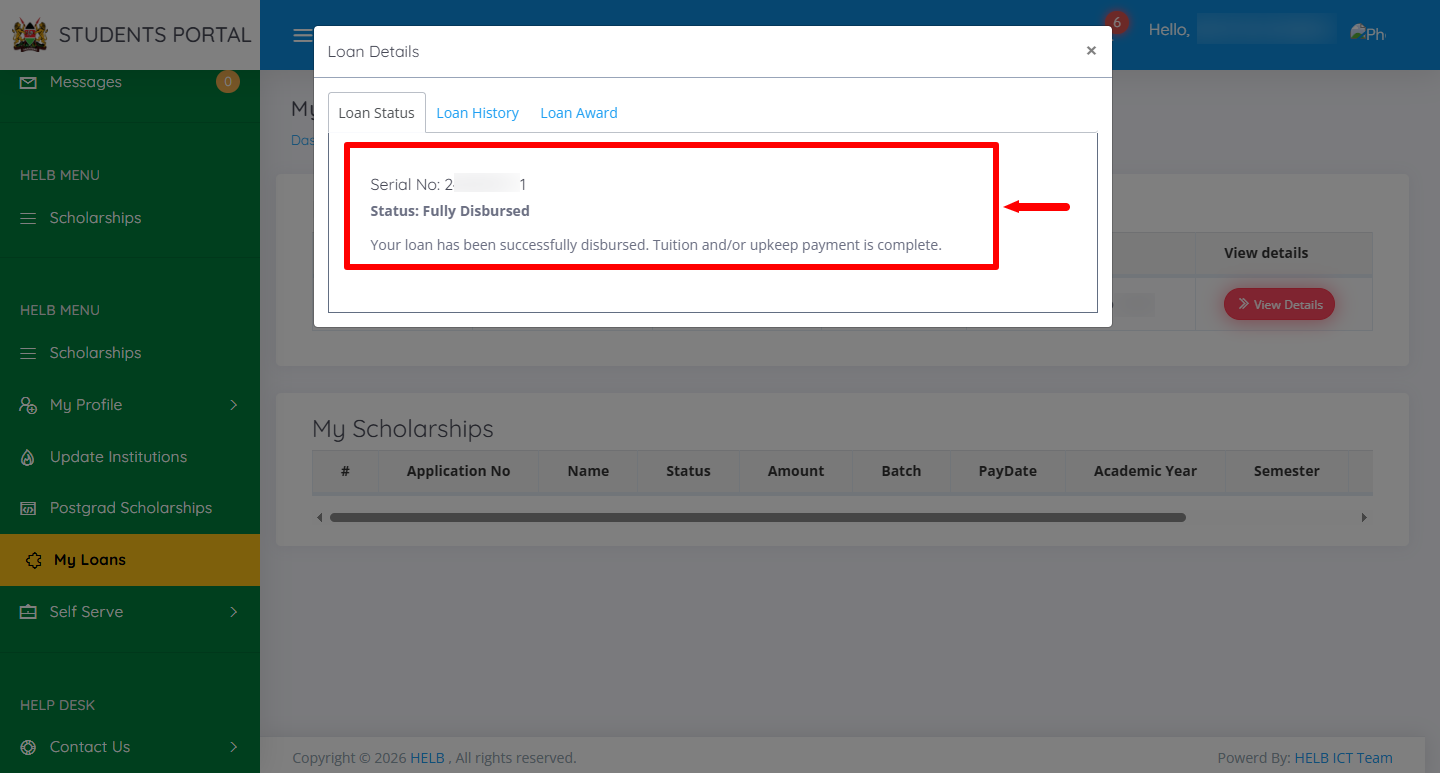
Lastly, under HELB Loan Status you will see the serial number and status. In this case, the HELB Loan has been fully disbursed. If your HELB Loan has been disbursed, you will – “your loan has been successfully disbursed. Tuition and/or upkeep payment is complete.”
Overview: HELB Loan Status Check
To check your HELB loan status, start by visiting the HEF Portal and entering the email address or ID number linked to your HEF account. Enter your HEF account password and click on Login to access the HEF Students Portal Dashboard. Once logged in, click on My Loans to access your loan information.
READ ALSO: How To Verify HELB Compliance Certificate
Next, click on View Details to open the details of your HELB loan application or disbursement. You will then be able to view your HELB loan status and determine whether the loan has been disbursed or is still being processed.